


- Regulated by multiple major authorities
- Supports MT4, MT5, cTrader & FxPro Edge
- No deposit or withdrawal fees on most methods
- Negative balance protection for retail clients
- Islamic swap-free accounts available
- Not available to US traders
- Higher deposits for lower-cost account tiers
- Inactivity fees on dormant accounts
- Retail leverage capped at 1:30 in UK/EU
- Trading conditions vary by jurisdiction
FxPro is a multi-asset broker regulated across several jurisdictions, offering forex, indices, shares, and commodities trading. This review breaks down its safety profile, trading conditions, and platform options to help traders decide if it fits their strategy.
FxPro holds licenses from multiple top-tier and offshore regulators, with oversight typically covering areas such as segregated client funds and negative balance protection. This regulatory spread affects which protections apply depending on a trader’s country of residence.
FxPro provides several account types with variable pricing structures, including spread-only and commission-based options across different platforms. Spreads, minimum deposits, and leverage limits differ depending on the account and platform selected.
FxPro offers a combination of educational resources and advanced platform tools, which can serve the needs of both beginners and experienced traders. Newer traders benefit from demo accounts, while active traders access tighter pricing tiers and automated trading support.
Forex Bit examines these details closely, starting with the question every trader asks first: is FxPro a safe and trustworthy broker in 2026?
Is FxPro a Safe and Trustworthy Broker in 2026?
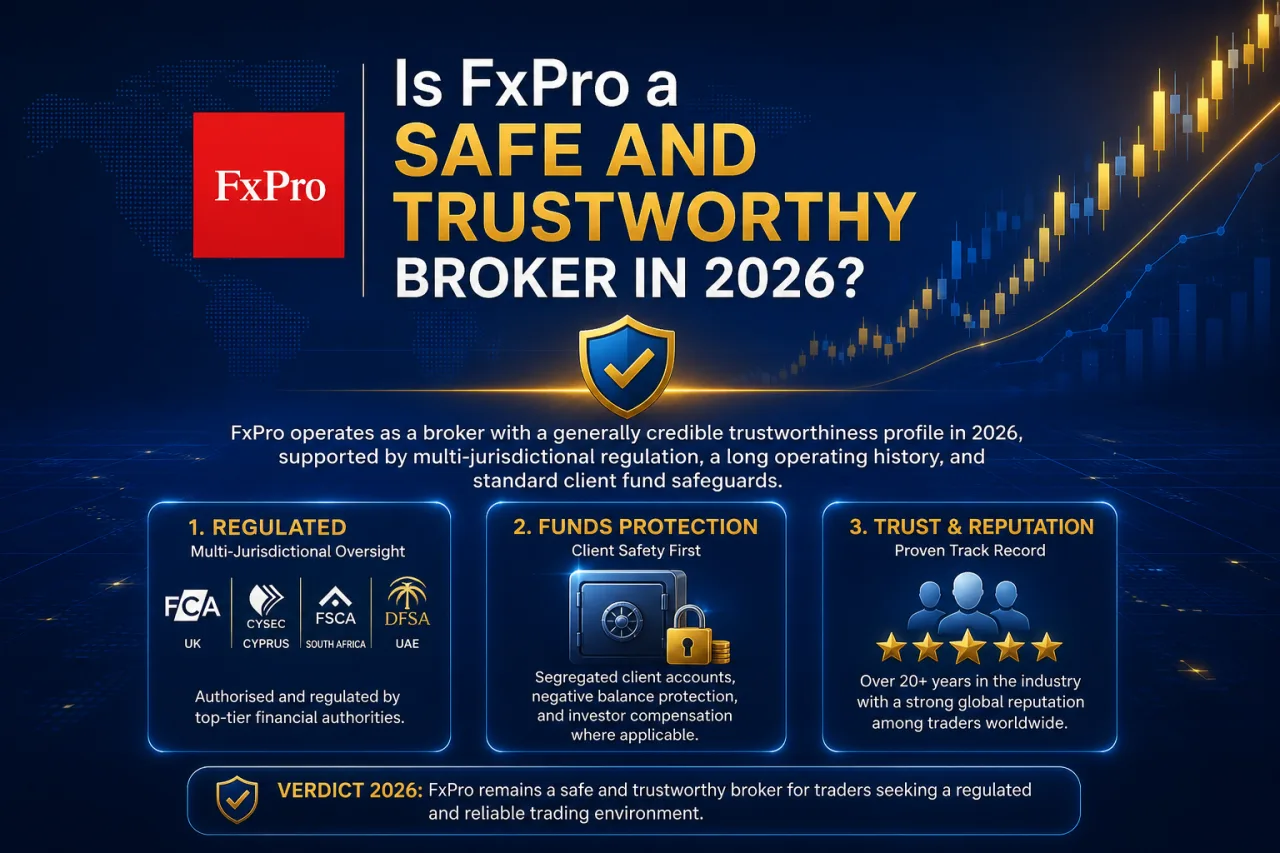
FxPro operates as a broker with a generally credible trustworthiness profile in 2026, supported by multi-jurisdictional regulation, a long operating history, and standard client fund safeguards. This overall verdict rests on three factors: the mix of regulators overseeing its entities, the length of time it has operated in the industry, and its general reputation among traders. The sections below break down FxPro’s regulatory footprint by jurisdiction, its fund protection measures, and how its safety record compares to other multi-asset brokers.
What Licenses and Regulators Oversee FxPro?
FxPro operates under five main regulatory entities, each tied to a specific jurisdiction: the UK’s FCA, Cyprus’s CySEC, South Africa’s FSCA, the Bahamas’ SCB, and the DIFC’s DFSA. This regulatory spread determines which entity a trader is onboarded under, based on their country of residence, and what protections apply to their account.
- UK clients trade under FxPro UK Limited, which is authorized and regulated by the Financial Conduct Authority (FCA), with client fund segregation and eligibility for the Financial Services Compensation Scheme among the protections typically associated with FCA authorization.
- European clients fall under FxPro Financial Services Limited, licensed by CySEC in Cyprus, which applies ESMA-aligned leverage caps, with client fund protections including participation in the Investor Compensation Fund.
- South African clients are generally served under a local FxPro entity that operates in line with regulatory requirements applicable in South Africa.
- International clients outside these regions typically trade under an offshore FxPro entity regulated by the Securities Commission of the Bahamas (SCB).
- Clients in the Middle East region are generally directed to an entity licensed by the Dubai Financial Services Authority (DFSA) within the DIFC.
Each entity carries different leverage limits, compensation scheme access, and dispute resolution channels depending on the assigned jurisdiction.
How Does FxPro Protect Client Funds?
FxPro protects client funds through segregated bank accounts, participation in investor compensation schemes, and negative balance protection for retail clients. These three measures work together across FxPro’s regulated entities, though the specific scope depends on which jurisdiction a trader’s account falls under.
Client money segregation keeps trader deposits in separate bank accounts from FxPro’s own operating funds, a standard requirement across its FCA, CySEC, FSCA, SCB, and DFSA licenses. This segregation model is generally intended to reduce the risk of client funds being used for company expenses or affected by the broker’s financial position.
Compensation fund access differs by entity. UK clients under FxPro UK Limited gain eligibility for the Financial Services Compensation Scheme, while EU clients under FxPro Financial Services Limited fall under the Cyprus Investor Compensation Fund. Retail clients across FxPro’s regulated entities also receive negative balance protection, preventing account balances from falling below zero during extreme market volatility. This protection typically does not extend to professional clients, who can opt out of certain retail safeguards depending on the entity and classification applied.
What Account Types Does FxPro Offer?
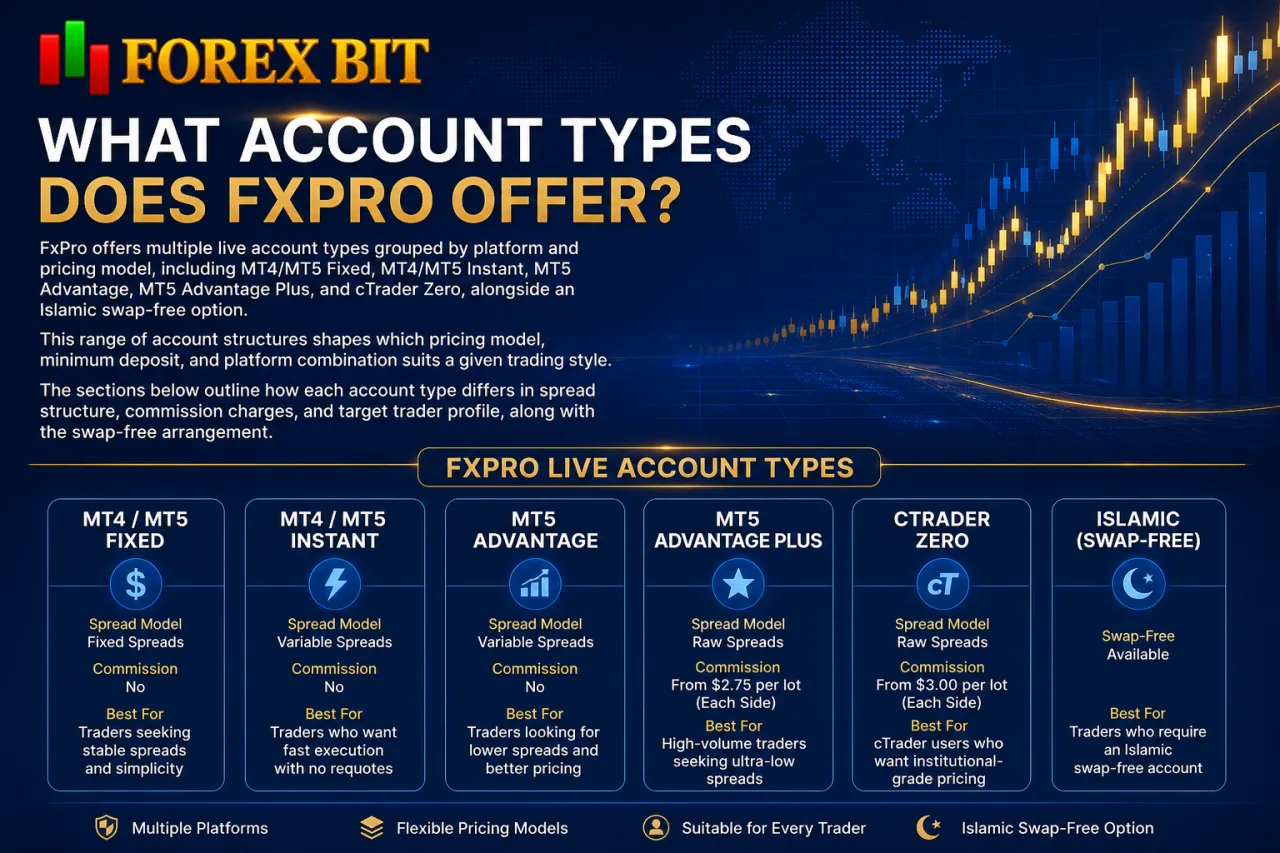
FxPro offers multiple live account types grouped by platform and pricing model, including MT4/MT5 Fixed, MT4/MT5 Instant, MT5 Advantage, MT5 Advantage Plus, and cTrader Zero, alongside an Islamic swap-free option. This range of account structures shapes which pricing model, minimum deposit, and platform combination suits a given trading style. The sections below outline how each account type differs in spread structure, commission charges, and target trader profile, along with the swap-free arrangement available for eligible clients.
MT4/MT5 Instant vs Advantage/Advantage Plus: What’s the Difference?
MT4/MT5 Instant accounts run on fixed spreads with dealing-desk style execution, while MT5 Advantage and Advantage Plus use market execution with raw, floating spreads plus a commission. This distinction shapes cost structure and order execution behavior across the two account groups.
The Instant accounts quote a fixed spread that stays constant regardless of market conditions, and no separate commission applies since the markup is built into the spread. This suits traders who prioritize price predictability over the tightest possible spread. Advantage and Advantage Plus accounts instead pass through raw interbank pricing via market execution, meaning spreads float and can compress near zero during liquid sessions, but widen during volatile periods.
To offset the lower raw spread, both Advantage-tier accounts charge a per-lot commission on top, with Advantage Plus typically offering a lower commission rate than the standard Advantage account. The exact commission figures and minimum deposit thresholds for each tier vary and depend on the account type selected, so traders should confirm current terms directly with the broker before opening an account.
Active and algorithmic traders generally favor the Advantage tiers for tighter average spreads, while traders wanting simpler, fixed-cost pricing without commission calculations tend to choose the Instant account.
Does FxPro Offer an Islamic (Swap-Free) Account?
Yes, FxPro offers an Islamic swap-free account, available across its account types for clients who qualify under Sharia-compliant trading requirements. This option addresses the same swap concern raised when comparing FxPro’s pricing tiers, since overnight interest charges are the main variable that changes for eligible traders.
Eligibility for the swap-free option generally depends on religious affiliation and is confirmed during the account verification process rather than automatically applied. FxPro typically replaces standard overnight swap charges with an administrative fee for positions held past a certain holding period, though the exact fee structure and applicable instruments depend on the account type selected, so traders should confirm current terms directly with the broker.
The swap-free arrangement applies across FxPro’s MT4, MT5, and cTrader account offerings, though availability by instrument can vary. Traders considering this option should verify current terms directly with FxPro before enabling swap-free status, since fee schedules and eligible symbols are subject to change.
What Trading Platforms Can You Use with FxPro?
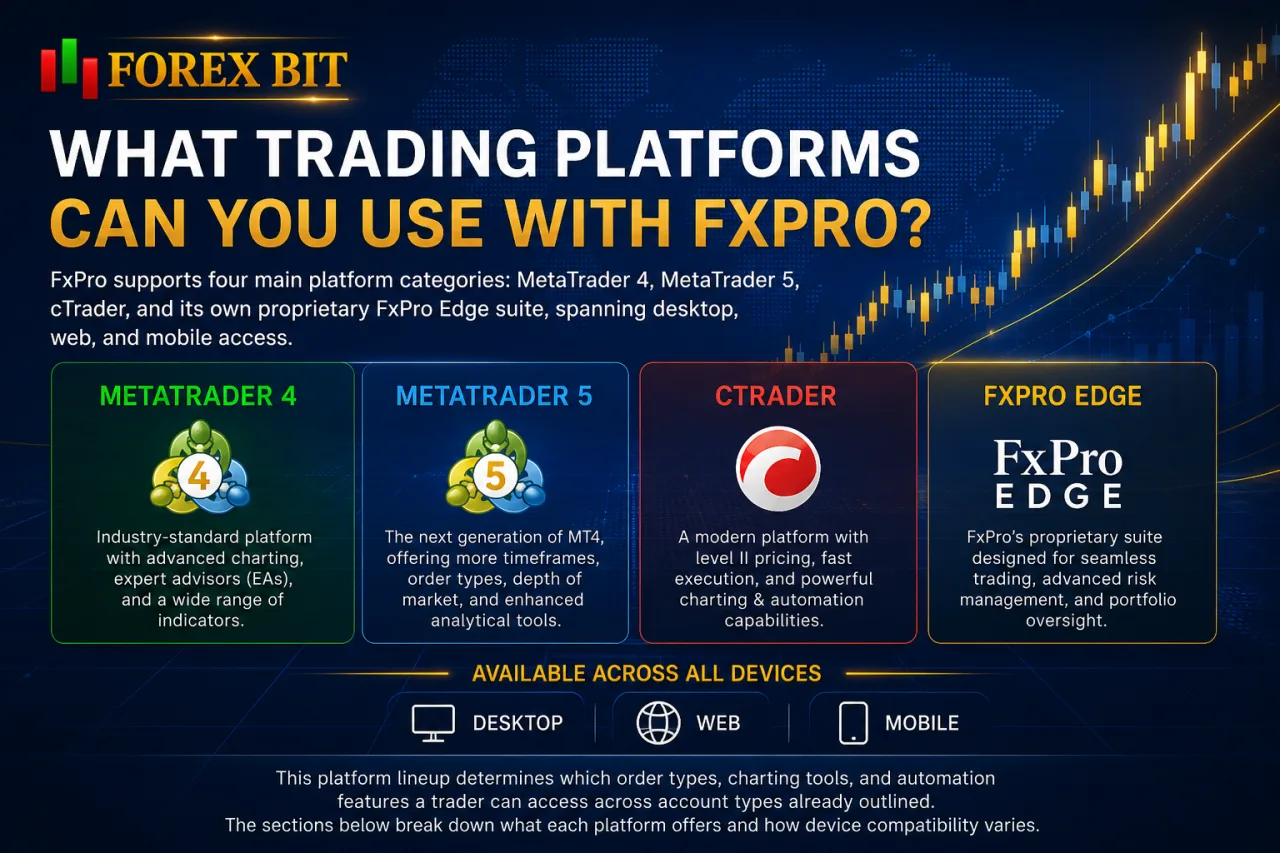
FxPro supports four main platform categories: MetaTrader 4, MetaTrader 5, cTrader, and its own proprietary FxPro Edge suite, spanning desktop, web, and mobile access. This platform lineup determines which order types, charting tools, and automation features a trader can access across account types already outlined. The sections below break down what each platform offers and how device compatibility varies.
MT4 vs MT5 vs cTrader: Which Platform Suits Your Trading Style?
cTrader wins on execution speed and algo trading depth, MT5 balances charting range with broader instrument access, and MT4 fits traders wanting a familiar, lightweight interface. Each platform serves a distinct trader profile once matched against the account types already outlined.
cTrader pairs with the Zero account and runs on ECN-style market execution, giving it an edge for scalpers and algo traders through its cAlgo automation engine, detailed Level II pricing, and native support for cBots. MT5 extends MT4’s charting toolkit with additional timeframes, an economic calendar, and a built-in strategy tester, making it suited to traders who need broader market access across the Advantage and Advantage Plus tiers.
MT4 remains the simplest of the three, favored by beginners and traders running legacy Expert Advisors who prioritize a familiar layout over expanded charting depth. All three platforms support automated trading, though cTrader’s cAlgo framework is generally considered more developer-friendly than MetaTrader’s MQL language. Some traders consider cAlgo more developer-friendly than MQL for algorithmic trading, largely due to its use of C# and the .NET framework, though the better choice ultimately depends on individual coding preferences and experience.
Traders choosing between the three should weigh execution style and coding preference against the account type and pricing model already available under each platform.
Does FxPro Have Its Own Proprietary Trading App?
Yes, FxPro operates its own proprietary trading terminal called FxPro Edge, built for both web and mobile use alongside the MT4, MT5, and cTrader options already covered. This proprietary suite addresses convenience rather than replacing the third-party platforms in FxPro’s lineup.
FxPro Edge runs directly through a browser and as a mobile app, removing the need for a separate download to place trades, monitor open positions, or manage account settings. The interface consolidates account management, deposits, and withdrawals alongside charting and order execution in a single environment, which suits traders who prefer fewer platform switches.
Compared to MT4, MT5, and cTrader, FxPro Edge trades some of the advanced charting depth and algo-trading support of those platforms for a simpler, more streamlined workflow. Traders running Expert Advisors or cBots generally still rely on MetaTrader or cTrader, while FxPro Edge fits quick order management and account oversight on the go.
How Much Does It Cost to Trade with FxPro? (Spreads, Commissions & Fees)
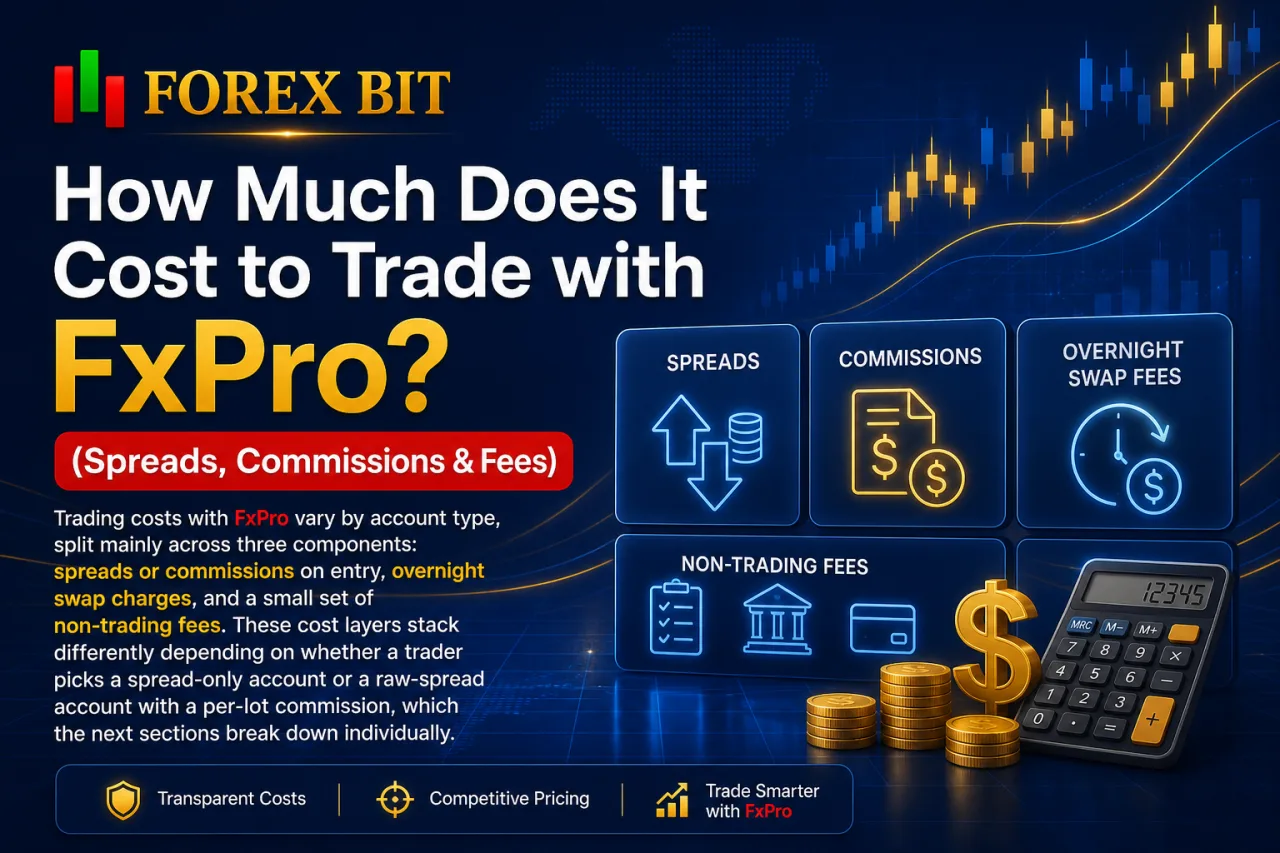
Trading costs with FxPro vary by account type, split mainly across three components: spreads or commissions on entry, overnight swap charges, and a small set of non-trading fees. These cost layers stack differently depending on whether a trader picks a spread-only account or a raw-spread account with a per-lot commission, which the next sections break down individually.
Which FxPro Account Has the Lowest Trading Costs?
The MT5 Advantage Plus and cTrader Zero accounts generally produce the lowest total trading costs for active traders, since both combine near-zero raw spreads with a reduced per-lot commission compared to the standard Advantage tier. This comparison follows directly from the spread-versus-commission structures already outlined across FxPro’s account lineup.
On raw-spread accounts, total cost equals the floating spread plus the commission charged per lot, and this combined figure typically undercuts the fixed spread on MT4/MT5 Instant accounts once trading volume increases. Advantage Plus is positioned to charge a lower commission than the standard Advantage account while sourcing similar raw interbank pricing, though exact commission figures vary and depend on the account type selected, so traders should confirm current terms directly with FxPro.
Instant accounts remain more cost-competitive for low-frequency traders who place fewer trades, since the fixed spread avoids commission calculations altogether. Traders running high trade volumes or algorithmic strategies still gain more from the raw-spread, commission-based tiers, where tighter average pricing offsets the added commission over repeated executions.
Does FxPro Charge Deposit, Withdrawal, or Inactivity Fees?
FxPro charges no fees on deposits or withdrawals for most standard payment methods, though inactivity on dormant accounts can trigger a maintenance charge after an extended period without trading activity. This non-trading fee structure separates FxPro’s own charges from costs a third-party payment provider might apply independently of the broker.
FxPro generally absorbs transaction costs on common funding methods such as bank transfers, cards, and e-wallets, though intermediary banks or payment processors can occasionally deduct their own handling charges outside FxPro’s control. Withdrawals typically route back through the original deposit method, and processing times vary by payment channel rather than by account type.
FxPro applies an inactivity fee to accounts left dormant for a defined period without any trading activity, deducted from the remaining balance until the account is reactivated or funds are exhausted, though the exact inactivity period and fee amount vary and should be confirmed directly with the broker.
Traders holding idle accounts should confirm the current dormancy threshold and fee amount directly with FxPro, since these terms are subject to periodic revision.
What Is the Maximum Leverage Offered by FxPro?
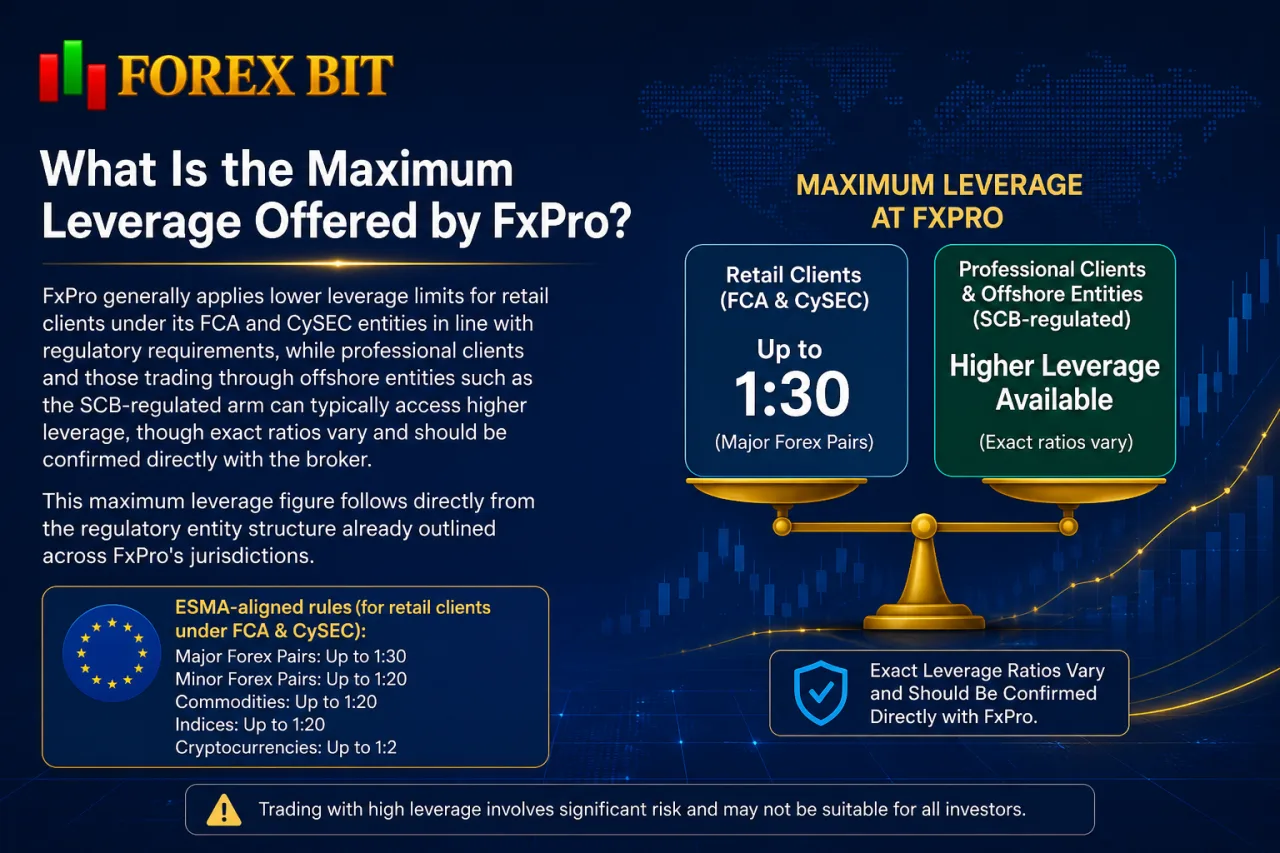
FxPro generally applies lower leverage limits for retail clients under its FCA and CySEC entities in line with regulatory requirements, while professional clients and those trading through offshore entities such as the SCB-regulated arm can typically access higher leverage, though exact ratios vary and should be confirmed directly with the broker. This maximum leverage figure follows directly from the regulatory entity structure already outlined across FxPro’s jurisdictions.
ESMA-aligned rules apply to clients onboarded under FxPro Financial Services Limited in Cyprus and FxPro UK Limited, restricting retail forex leverage to the 1:30 threshold regardless of account type or platform chosen.
Traders classified as professional clients through an eligibility assessment can access substantially higher leverage under the same FCA and CySEC entities, though this classification typically requires meeting criteria related to trading experience, portfolio size, or financial sector employment. Professional client eligibility assessments generally weigh factors such as trading history, financial instrument portfolio value, and relevant industry experience, though the exact criteria and thresholds should be confirmed directly with FxPro.
Clients under the offshore SCB-regulated entity or the DFSA entity in the DIFC face no ESMA-style restriction, allowing access to considerably higher leverage ratios. The exact maximum available depends on the account type, instrument traded, and jurisdiction assigned, so traders should confirm current leverage limits directly with FxPro before opening an account.
What Markets and Instruments Can You Trade with FxPro?

FxPro offers eight main asset classes: forex pairs, indices, shares, commodities, metals, energies, futures, and cryptocurrency CFDs, with availability subject to the entity a trader is onboarded under. This instrument range follows the account and platform structures already outlined, since not every symbol trades on every platform.
Forex pairs span major, minor, and exotic currency crosses, while indices cover key global stock benchmarks traded as CFDs rather than direct ownership. Shares CFDs give exposure to individual company stock price movements without requiring ownership of the underlying equity.
Commodities and metals include instruments such as gold, silver, and soft commodities, while energies cover contracts like crude oil and natural gas. Futures CFDs extend exposure to selected index and commodity futures markets. Cryptocurrency CFDs are available for select clients, though access depends on regulatory restrictions tied to the entity and jurisdiction assigned to a trader’s account, so the specific list of supported crypto instruments should be confirmed directly with FxPro.
Traders should confirm current symbol availability directly with FxPro, since coverage varies by regulatory entity and can change over time.
How Do You Deposit and Withdraw Money with FxPro?
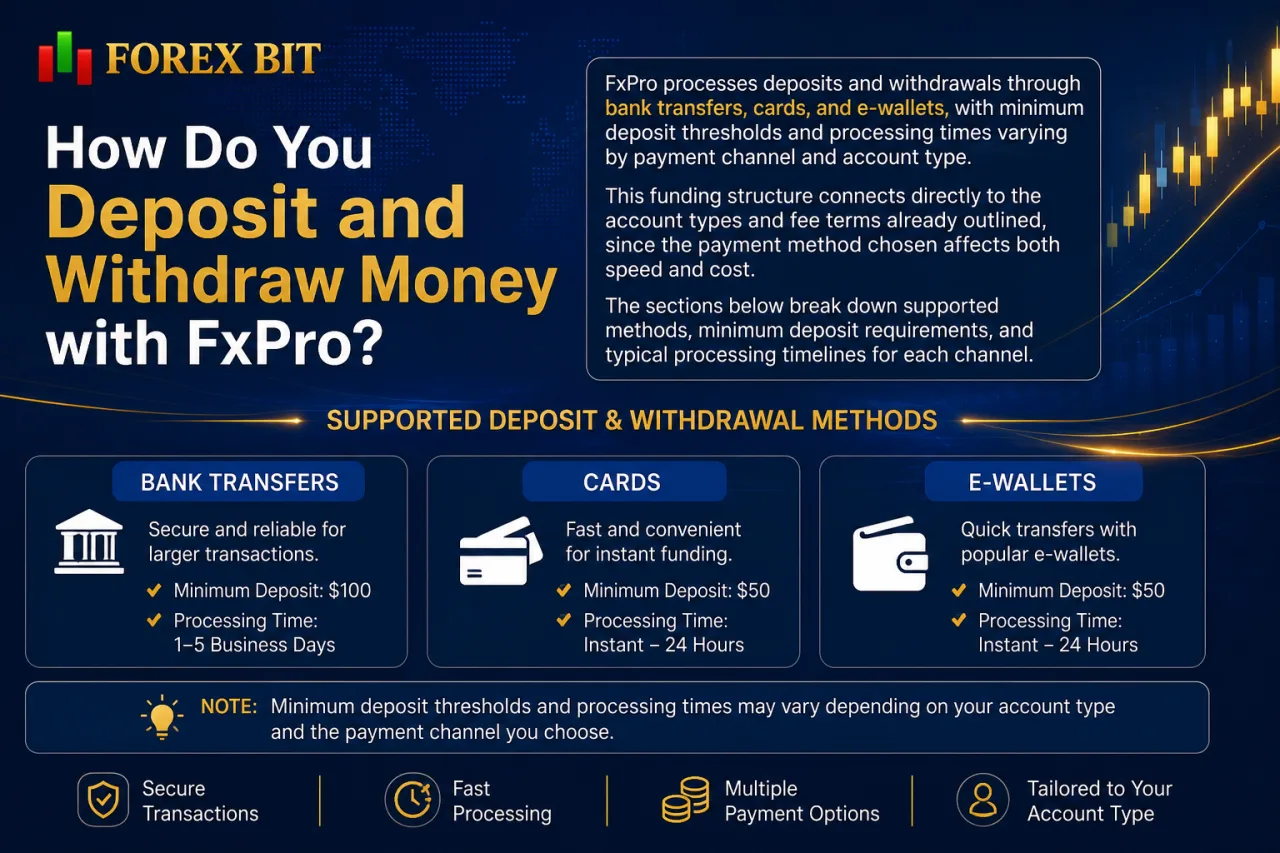
FxPro processes deposits and withdrawals through bank transfers, cards, and e-wallets, with minimum deposit thresholds and processing times varying by payment channel and account type. This funding structure connects directly to the account types and fee terms already outlined, since the payment method chosen affects both speed and cost. The sections below break down supported methods, minimum deposit requirements, and typical processing timelines for each channel.
What Is the Minimum Deposit Required to Open an FxPro Account?
FxPro generally sets no minimum deposit on its MT4/MT5 Instant and Advantage accounts for most regions, while the MT5 Advantage Plus and cTrader Zero tiers typically require a higher opening balance tied to their lower commission pricing, though exact figures vary and should be confirmed directly with the broker. This threshold connects directly to the account tiers and commission structure already outlined, since the lower-cost accounts generally demand a larger starting balance.
Minimum deposit requirements at FxPro also shift by base currency and by the regulatory entity a trader is onboarded under, since payment processing rules differ across the FCA, CySEC, FSCA, SCB, and DFSA entities. Clients funding accounts in currencies other than USD or EUR may find that the effective minimum threshold differs once converted, depending on the payment method selected, so it’s worth confirming the exact terms directly with FxPro before depositing.
Traders in certain regions may also encounter adjusted minimums set by local regulatory requirements rather than a uniform global figure. Confirming the current minimum deposit directly with FxPro before funding an account remains the most reliable way to get accurate, region-specific figures, since these thresholds are subject to periodic revision.
Is FxPro Good for Beginners or Better Suited for Experienced Traders?
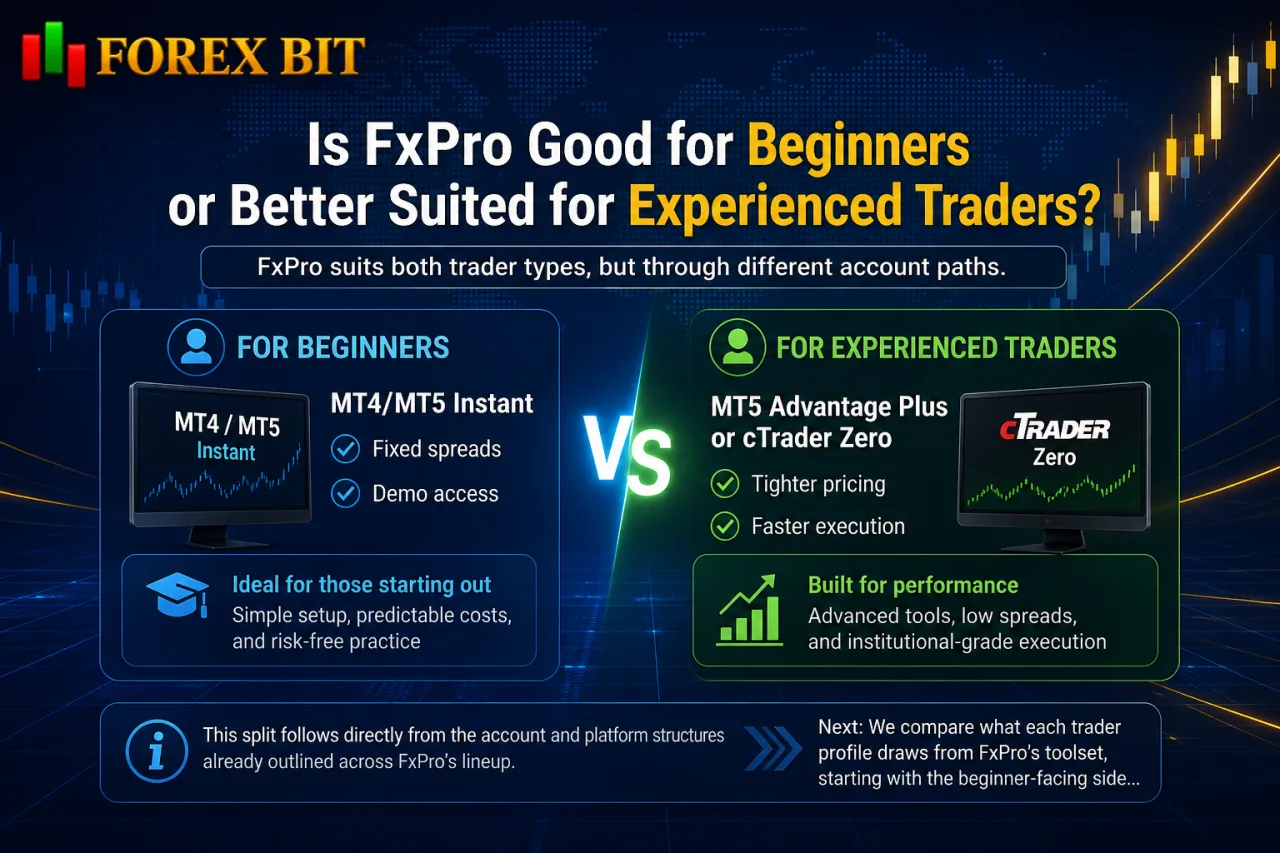
FxPro suits both trader types, but through different account paths: beginners lean toward MT4/MT5 Instant with fixed spreads and demo access, while experienced traders gravitate toward MT5 Advantage Plus or cTrader Zero for tighter pricing and faster execution. This split follows directly from the account and platform structures already outlined across FxPro’s lineup. The next sections compare what each trader profile draws from FxPro’s toolset, starting with the beginner-facing side before turning to the features that favor active and professional traders.
What Educational Tools and Customer Support Does FxPro Provide?
FxPro provides four main educational and support resources: market research updates, trading guides, webinars, and multi-channel customer support covering live chat, phone, and email. This mix connects to the beginner-versus-experienced trader distinction already outlined, since newer traders lean more heavily on the educational side while active traders tend to rely on responsive support channels during live trading sessions.
Market research at FxPro includes daily news updates, technical analysis, and economic calendar coverage aimed at helping traders track events likely to move currency and index prices. Trading guides break down platform mechanics, order types, and account-specific features across MT4, MT5, and cTrader. Webinars, hosted periodically, cover topics ranging from platform tutorials to broader market analysis sessions.
Customer support at FxPro operates through live chat, phone lines, and email, with multilingual coverage generally tied to the regions its regulatory entities serve, though exact language availability and support hours should be confirmed directly with the broker. Response channels are generally segmented by region and regulatory entity, meaning the specific phone number or support language a trader accesses depends on which FxPro entity their account falls under.
What Are the Main Advantages and Limitations of FxPro?
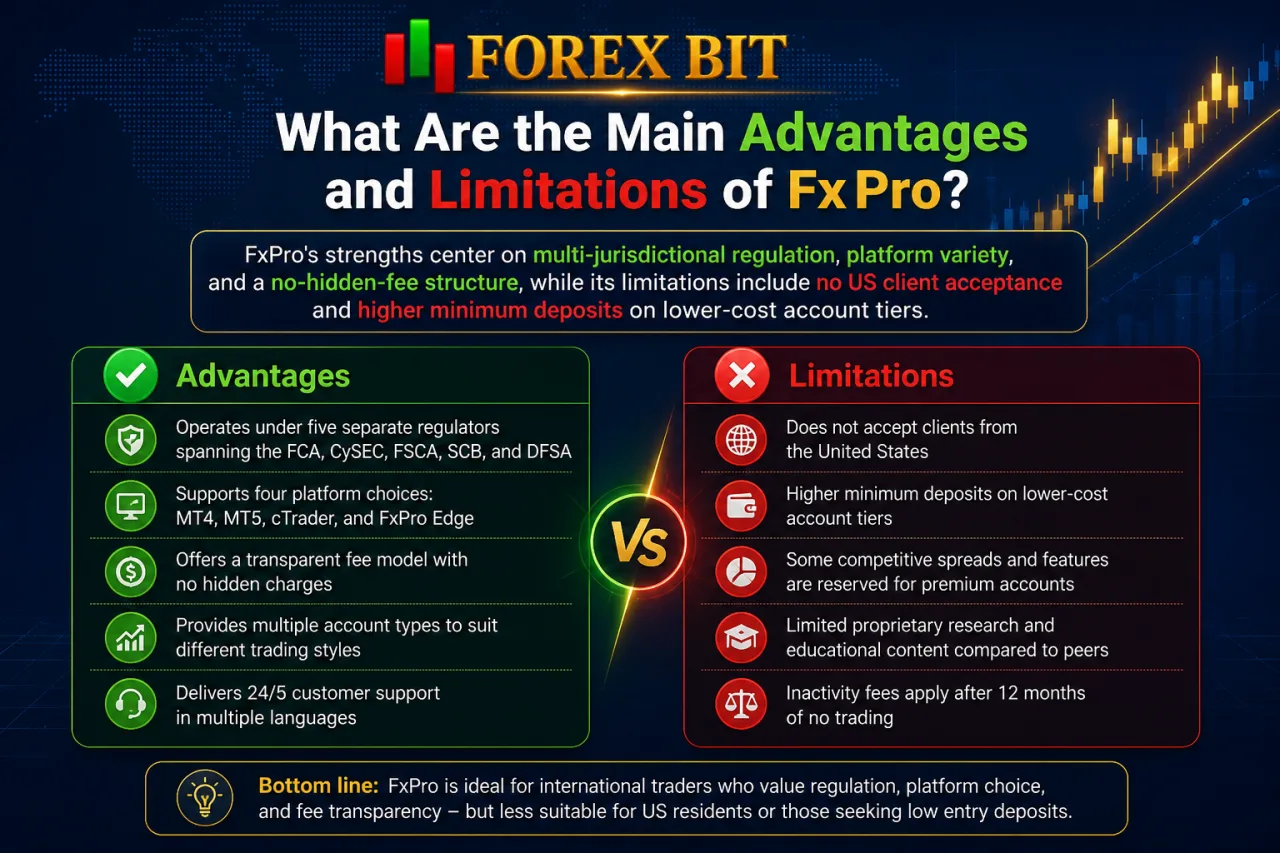
FxPro’s strengths center on multi-jurisdictional regulation, platform variety, and a no-hidden-fee structure, while its limitations include no US client acceptance and higher minimum deposits on lower-cost account tiers. Weighing these two sides against the account, platform, and cost details already outlined clarifies which trader profile gets the most value from FxPro.
Advantages:
- Operates under five separate regulators spanning the FCA, CySEC, FSCA, SCB, and DFSA
- Supports four platform categories, including MT4, MT5, cTrader, and the proprietary FxPro Edge suite
- Charges no deposit or withdrawal fees on most standard payment methods
- Provides negative balance protection for retail clients across regulated entities
- Offers an Islamic swap-free option across all major account types
Limitations:
- Excludes traders based in the United States from opening accounts
- Requires a higher opening balance on the lower-commission MT5 Advantage Plus and cTrader Zero tiers
- Applies an inactivity fee on dormant accounts left without trading activity
- Restricts retail leverage to 1:30 under FCA and CySEC entities per ESMA rules
- Varies instrument and leverage availability by the regulatory entity assigned to a trader’s account
How Does FxPro Compare to Other Multi-Regulated Brokers in Terms of Unique Features?
FxPro sets itself apart from other multi-regulated brokers through a cluster of niche tools rather than pricing alone, spanning a no-code algo builder, free VPS access, layered research integrations, and a documented industry award history. These differentiators sit outside the account, platform, and cost structure already outlined, so the sections below break down each one individually.
What Is FxPro Quant and How Does It Help Automate Trading?
FxPro Quant is a drag-and-drop strategy builder that lets traders design automated trading systems without writing code, integrating directly with MT4 and MT5. This tool addresses the algo-trading side of FxPro’s platform lineup, aimed at a different user group than the cAlgo and MQL coding environments already covered.
The builder works through a visual interface where traders assemble entry, exit, and risk-management rules from pre-set blocks, then export the finished strategy as an Expert Advisor compatible with MetaTrader. This removes the need to learn MQL syntax to automate a trading idea. FxPro Quant primarily targets non-coders who want systematic execution, letting them backtest and deploy rule-based strategies on MT4 or MT5 without relying on manual programming or hiring a developer.
Does FxPro Offer Free VPS Hosting for Traders?
Yes, FxPro offers free VPS hosting, though eligibility depends on meeting a minimum trading volume or account balance threshold rather than being available to every account by default. This complimentary service ties directly into the algo-trading toolset already covered under FxPro Quant, cAlgo, and MQL-based automation, since uninterrupted server connectivity matters most for traders running expert advisors or cBots around the clock.
FxPro typically grants free VPS access once a trader reaches a set monthly volume or maintains a qualifying account balance, though the exact thresholds vary by account type and should be confirmed directly with the broker.
Traders who fall short of the qualifying criteria can generally still access VPS hosting through a paid subscription instead. The hosted server keeps automated strategies running without interruption from local power outages or internet disconnects, which particularly benefits scalpers and algo traders executing high-frequency orders on MT4, MT5, or cTrader.
Conclusion
FxPro earns its 2026 credibility from a combination of five regulatory licenses, segregated client funds, negative balance protection, and a long-standing operating history rather than any single standout feature. Its account and platform variety, spanning MT4, MT5, cTrader, and FxPro Edge, caters to both cost-conscious beginners and volume-driven active traders, while niche tools like FxPro Quant and free VPS access add practical value beyond basic pricing. The tradeoffs, including US client exclusion, ESMA-capped retail leverage, and higher deposits on premium tiers, mark the boundaries of who benefits most. For traders weighing safety alongside flexibility, FxPro stands as a broker worth serious consideration in 2026.
Thomas Dite is the Best Forex Brokers Research Manager at Forex Bit, specializing in researching, comparing, and editing broker-related content for different trader needs. He focuses on evaluating trading platforms, costs, regulation, account conditions, and other key factors to help readers make more informed broker comparisons.
Email: [email protected]