
See what changed in GMI Markets account access, how it affects your login, and what traders should do next to stay connected.
GMI Markets Account Access: Login Update Explained

Traders log in to GMI Markets through the official Client Portal or directly via MT4/MT5 using their registered account credentials. Access requires a valid account ID and password issued after registration, with separate login steps depending on whether the trader uses the web portal or a trading terminal.
Login or password issues at GMI Markets are typically resolved through the official password reset function on the Client Portal or broker support channels. Common causes include incorrect account server selection, expired credentials, or unverified account status blocking access.
Account access at GMI Markets can be temporarily affected by scheduled maintenance, security updates, or regional service restrictions. Traders should check official broker announcements to confirm whether an outage is affecting their specific account or region.
Account verification, deposits, and withdrawals at GMI Markets are processed through the same Client Portal used for login access. Completing KYC steps correctly prevents delays in fund transfers and keeps trading account access uninterrupted. Forex Bit explains the steps involved in logging in to a GMI Markets trading account in the following section.
How Do You Log In To Your GMI Markets Account?
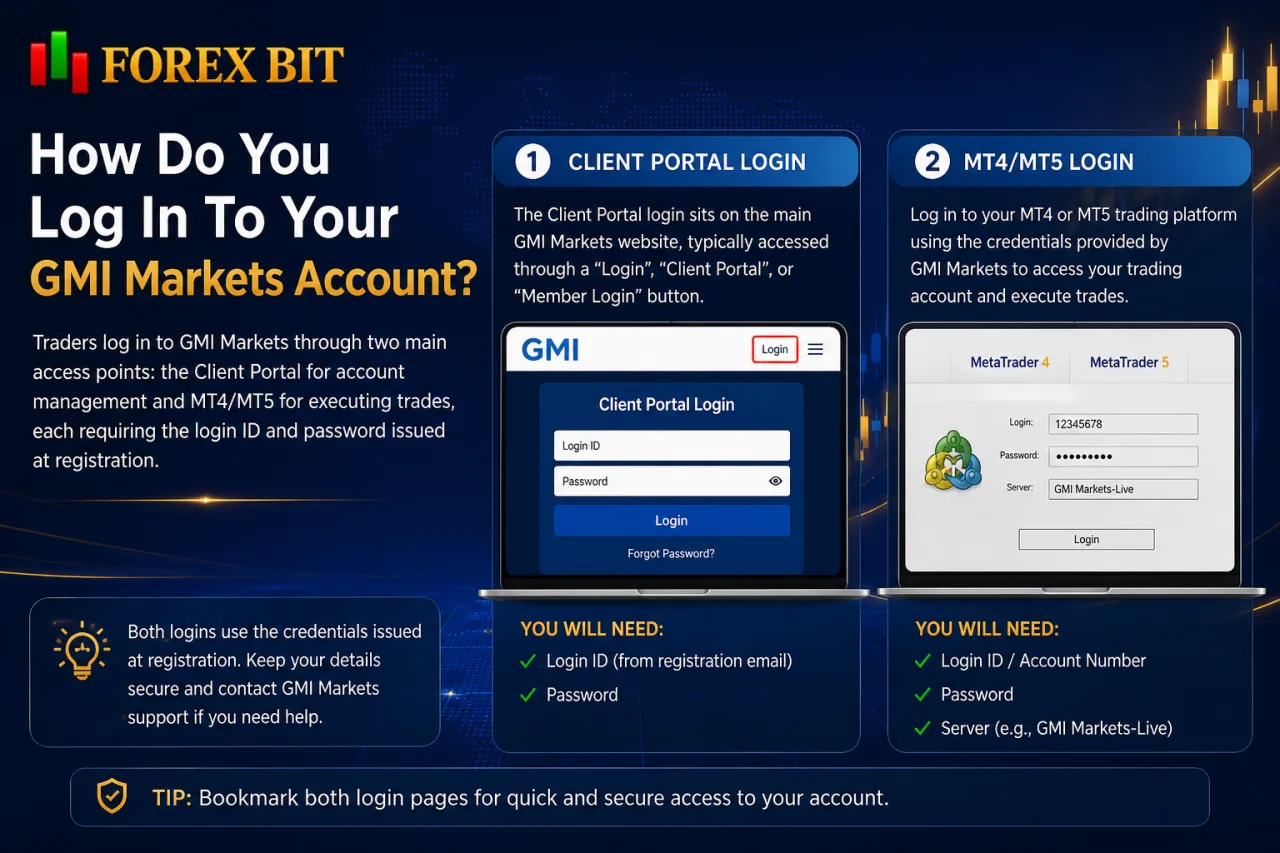
Traders log in to GMI Markets through two main access points: the Client Portal for account management and MT4/MT5 for executing trades, each requiring the login ID and password issued at registration. This section builds on the credential and support details already covered and outlines where each login page sits on the official GMI Markets website and what information is needed to sign in successfully.
The Client Portal login sits on the main GMI Markets website, typically accessed through a “Login” or “Client Area” button on the homepage. It uses the registered email or account ID paired with the portal password.
MT4 and MT5 logins are separate from the portal and require three specific fields:
- The numeric account login ID.
- The trading password.
- The correct broker server name, selected from a dropdown list within the platform itself.
Traders download MT4 or MT5 from the official GMI Markets website or platform links before entering these credentials. Selecting the wrong server is a frequent reason login attempts fail, since GMI Markets operates multiple servers tied to specific account types.
What Is The Difference Between Client Portal Login And MT4/MT5 Login?
The Client Portal manages account administration while MT4/MT5 login grants access to the actual trading terminal, and each system uses its own separate credentials. This distinction matters for traders confused about why one login works on the website but fails on a trading platform.
The Client Portal handles account-level functions such as depositing funds, withdrawing profits, completing KYC verification, and reviewing account statements. It uses a registered email address or account ID paired with a portal-specific password created during registration or reset through the broker’s support channels.
MT4 and MT5 logins serve a different purpose entirely, giving traders direct access to charts, order execution, and live market pricing. These platforms require a numeric account login ID, a separate trading password, and the correct server name assigned to that specific account type.
Because the two systems are not linked, a password reset on the Client Portal does not automatically update MT4/MT5 credentials, and traders must update each login separately to keep both access points working.
What Recent Login Update Has GMI Markets Introduced?
GMI Markets has periodically updated its login system with stronger authentication checks and Client Portal interface improvements, aimed at reducing unauthorized access attempts.
This update directly addresses how traders sign in and manage account access at GMI Markets. The change primarily affects the Client Portal login flow rather than the MT4/MT5 terminal credentials, meaning traders may notice additional verification prompts when accessing account management functions online.
The core change involves an added identity verification step during portal login, designed to confirm that the person accessing the account matches the registered account holder.
This matters to traders because it reduces the risk of unauthorized withdrawals or account changes triggered by compromised passwords alone. Existing clients should expect the updated login screen to request confirmation through a linked email or registered device before granting full portal access, while MT4/MT5 sign-in continues to rely on the account login ID, password, and server name as previously described.
How Do You Resolve Login Or Password Issues With GMI Markets?
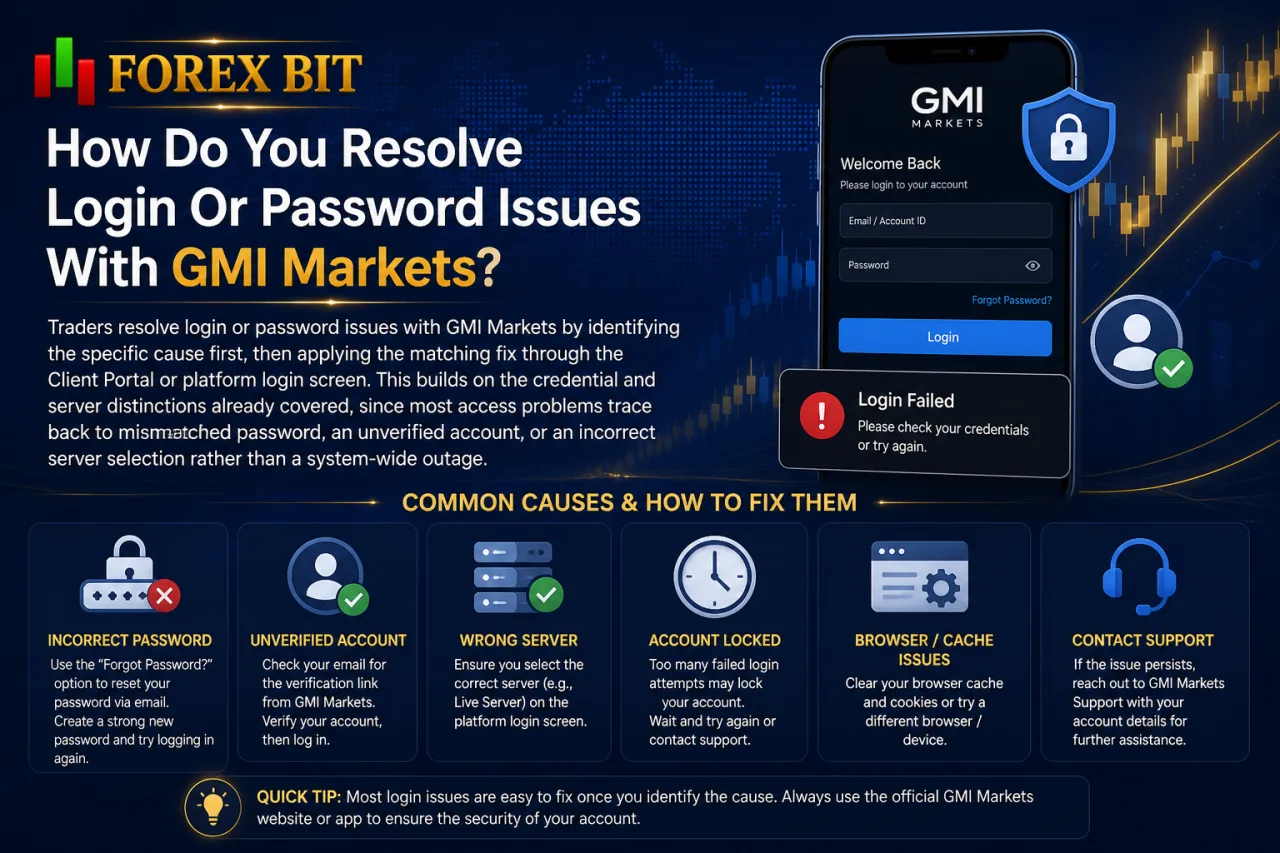
Traders resolve login or password issues with GMI Markets by identifying the specific cause first, then applying the matching fix through the Client Portal or platform login screen. This builds on the credential and server distinctions already covered, since most access problems trace back to a mismatched password, an unverified account, or an incorrect server selection rather than a system-wide outage. The steps below cover the most frequent scenarios traders encounter and how each one is addressed.
Forgotten passwords, invalid credentials, locked accounts, and wrong server selection account for most GMI Markets login failures, each resolved through a distinct step.
- Forgotten password: use the reset function on the Client Portal login page to receive a reset link via registered email.
- Invalid credentials: recheck the account ID and password for typos, since MT4/MT5 fields are case-sensitive and separate from the portal login.
- Locked account: confirm KYC verification status is complete, as pending or rejected verification blocks continued access.
- Wrong server selection: match the server name shown in the account confirmation email exactly within the MT4/MT5 login window.
Traders unable to resolve access through these steps contact GMI Markets support directly via the Client Portal help section or official support email for manual account review.
Is A Password Reset Required After The Login Update?
A password reset is not automatically required after the login update, since existing credentials remain valid unless a trader’s account triggers the new identity verification step during Client Portal access. This clarifies whether the recently introduced authentication check forces existing clients to change their portal password.
The update adds a confirmation prompt through a linked email or registered device, not a mandatory credential reset. Traders keep their current portal password and MT4/MT5 login details unless GMI Markets support flags the account for a manual security review.
A reset becomes necessary only under specific circumstances:
- Suspicious login attempts detected from an unrecognized device or location.
- Expired or previously compromised passwords flagged by the Client Portal system.
- Manual instruction from GMI Markets support following an account security check.
Traders who do not fall into these categories continue logging in with existing credentials, though completing any new verification prompt that appears is required to finish signing in.
Are There Any Account Access Changes, Restrictions Or Outages At GMI Markets?
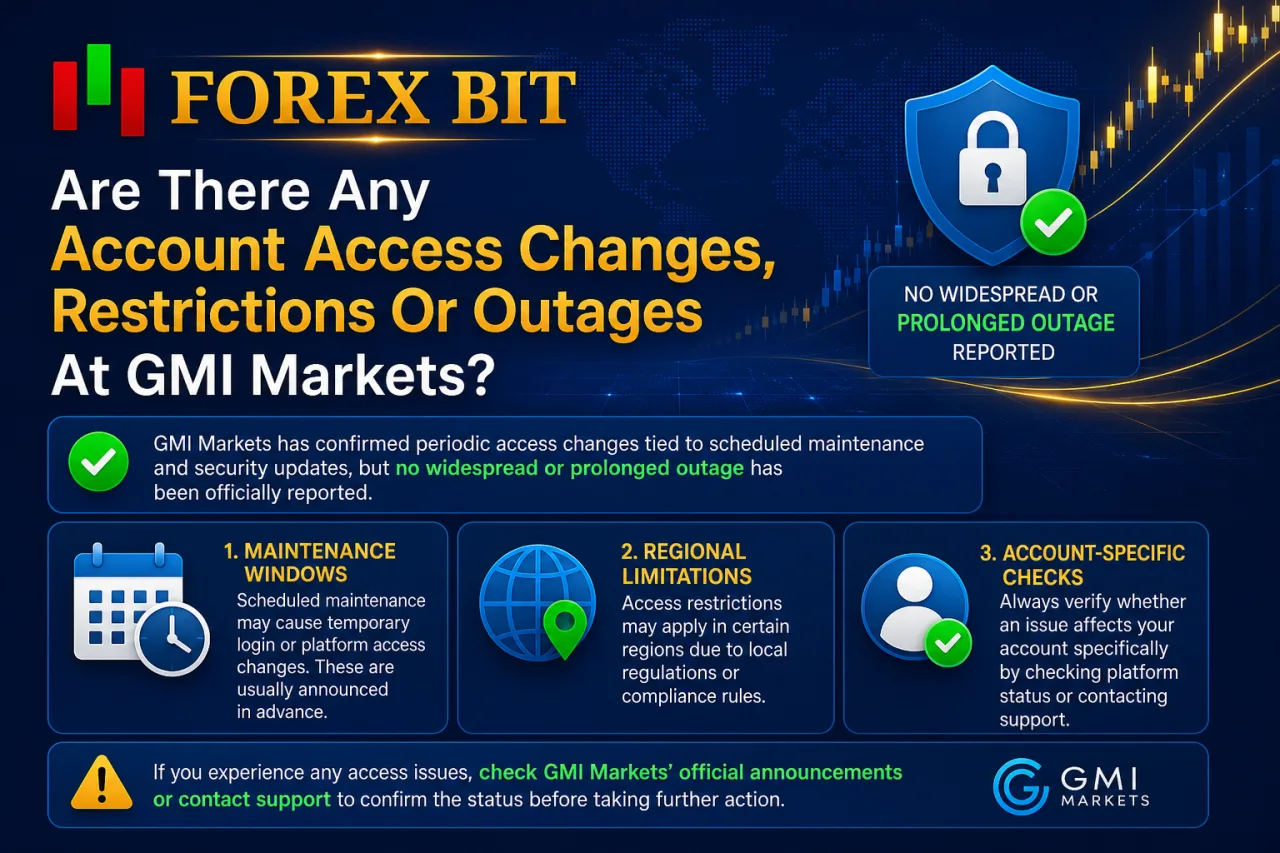
GMI Markets has confirmed periodic access changes tied to scheduled maintenance and security updates, but no widespread or prolonged outage has been officially reported. This overview covers what type of disruption traders may encounter, why it happens, and how each scenario differs from a system-wide failure. The sections below break down maintenance windows, regional limitations, and how to confirm whether an issue affects a specific account.
What Should Traders Do If GMI Markets Login Is Temporarily Unavailable?
Traders check official GMI Markets status announcements first, then switch to an alternative access point such as MT4/MT5 if only the Client Portal is affected. This follows directly from the maintenance and regional restriction scenarios already outlined, since confirming the scope of an outage determines the correct response rather than assuming a full system failure.
Four practical steps apply during temporary login unavailability:
- Checking official broker announcements or the GMI Markets status page to confirm whether the disruption is scheduled maintenance or a wider issue.
- Attempting login through the alternative access point, since a Client Portal outage does not necessarily affect MT4/MT5 and vice versa.
- Contacting GMI Markets support through the official help channel if access remains blocked after confirming the outage status.
- Monitoring registered email for notifications from GMI Markets, since maintenance windows and resolution updates are typically communicated there.
Traders avoid repeated login attempts during confirmed maintenance, as this does not restore access faster and may trigger additional security checks tied to the identity verification step described earlier.
How Do You Complete Account Verification, Deposits Or Withdrawals Via The Client Portal?
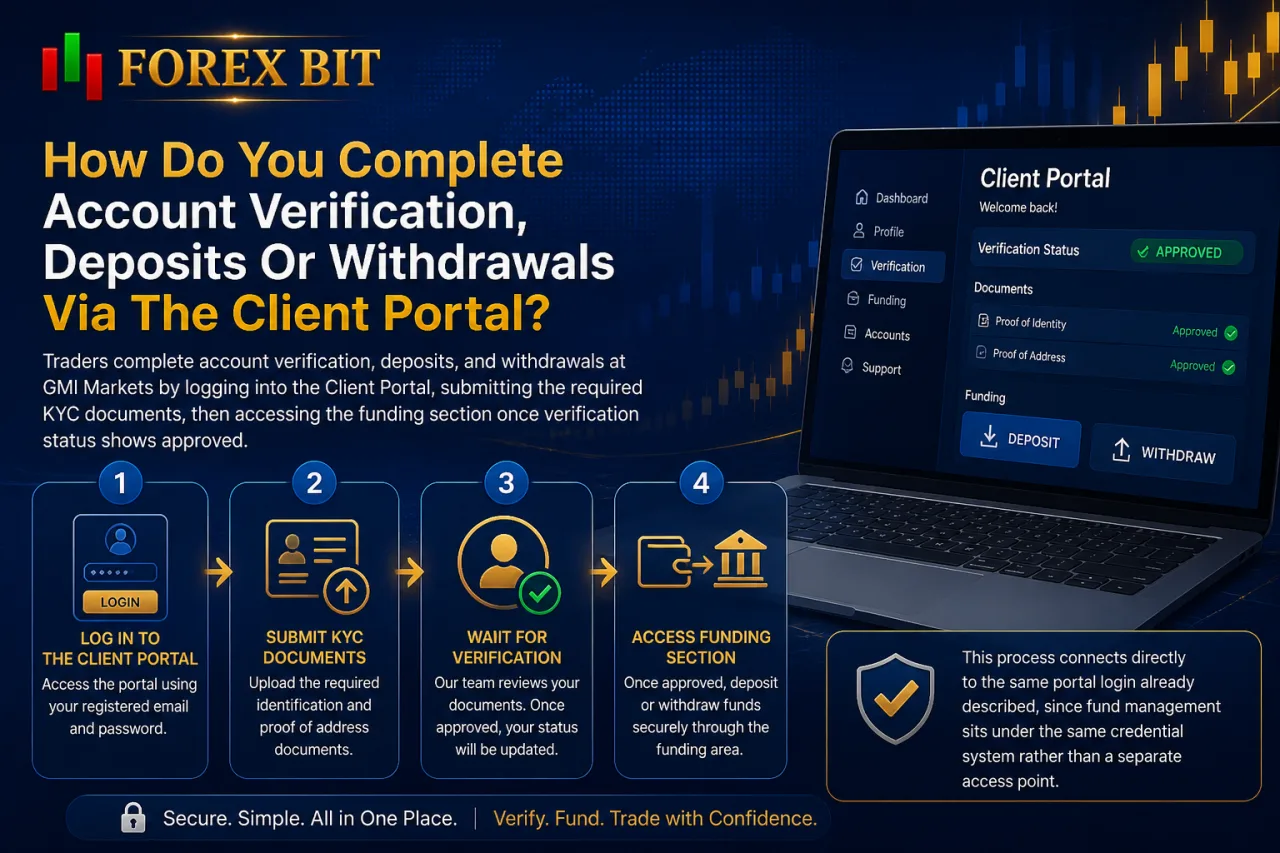
Traders complete account verification, deposits, and withdrawals at GMI Markets by logging into the Client Portal, submitting the required KYC documents, then accessing the funding section once verification status shows approved. This process connects directly to the same portal login already described, since fund management sits under the same credential system rather than a separate access point. The sections below cover document submission, verification status, and processing considerations in more detail.
What Are The Types Of Verification Statuses In The GMI Markets Portal?
The GMI Markets Client Portal displays a limited set of verification statuses: pending, verified, and additional documents required, each tied to a specific level of trading and withdrawal access. This continues from the document submission step already outlined, since the status shown after upload determines what a trader can do next inside the portal.
- Pending: documents submitted and awaiting review, with trading typically allowed on a restricted basis while withdrawals remain blocked until approval.
- Verified: KYC checks completed and approved, unlocking full account functionality including deposits, withdrawals, and unrestricted trading access.
- Additional documents required: initial submission incomplete or unclear, requiring a resubmission before the account moves back into pending or verified status.
Traders monitor the status directly on the Client Portal dashboard after login, since it updates automatically once GMI Markets support processes the submitted documents. Accounts stuck in “additional documents required” status resolve fastest by resubmitting clear, matching identification and address proof through the same upload section used initially.
What Additional Security Features Support GMI Markets Account Access?
GMI Markets supports account access with supplementary security layers beyond the standard login, including two-factor authentication, device recognition alerts, and session timeout controls. These features operate alongside the Client Portal identity verification step already described, adding further protection without changing the core MT4/MT5 credential structure. The following points outline how each feature functions within the account access process.
How Does Two-Factor Authentication Work For GMI Markets Login?
Traders enable two-factor authentication for GMI Markets login through the Client Portal security settings, then confirm each subsequent login with a secondary code sent to a linked email or authentication app. This directly answers whether 2FA supports account protection during login, building on the identity verification step already described for the Client Portal.
Setup typically follows a short sequence rather than a single click:
- Locating the security or two-factor authentication option within Client Portal account settings.
- Linking a registered email address or authenticator app to generate login codes.
- Entering the generated code alongside the standard password during each portal login attempt.
- Saving backup recovery details in case the linked device becomes unavailable.
MT4 and MT5 terminal logins continue relying on the account ID, password, and server name, since 2FA applies specifically to Client Portal access rather than the trading platform credentials.
Is IP or Device-Based Login Monitoring Used By GMI Markets?
GMI Markets applies login monitoring through the identity verification step already introduced in the Client Portal, flagging unrecognized devices or locations before granting full access. This addresses whether the broker actively tracks device or location details as part of its login safeguards.
The confirmation prompt sent to a linked email or registered device functions as the visible layer of this monitoring, appearing when a login attempt does not match the account’s usual pattern. GMI Markets has not published detailed public information specifying exact monitoring triggers, such as IP range changes or device fingerprinting criteria.
Traders relying on the Client Portal notice this safeguard most clearly when logging in from a new device, a different location, or after an extended period of inactivity, since these scenarios commonly prompt the additional verification step.
Conclusion
Accessing a GMI Markets account rests on two distinct entry points: the Client Portal for administrative tasks and MT4/MT5 for live trading, each requiring its own credentials and, in the portal’s case, an added identity verification prompt. Most login failures trace back to forgotten passwords, incorrect server selection, or incomplete KYC status, all fixable through the reset function or support contact rather than system-wide outages.
Verification, deposits, and withdrawals run through this same portal login, tying account access directly to fund management. Understanding these separate systems and their built-in security layers gives traders a clear, reliable path to signing in and maintaining uninterrupted access to their GMI Markets account.
William Johnson is a Forex & Broker News Analyst at Forex Bit, focusing on broker updates, regulatory developments, payment changes, and security-related news. His work helps readers stay informed about important industry developments and understand how these changes may affect broker services and trading conditions.
Email: [email protected]



Best Brokers

Trade with the world’s largest retail broker and benefit from better - than - market conditions.

We offer a superior trading environment that puts traders in the best position to profit.

Trade with the best trading conditions. WIN THE BEST TRADING ACCOUNT AWARD.

Trade global markets with Interactive Brokers – a highly regulated multi-asset broker built for active and professional investors.






Forex Bit provides independent forex broker reviews, comparisons, guides, and industry news to help traders make informed decisions.
Best Brokers
Metatrader 5 Brokers
Metatrader 4 Brokers
Lowest Spread Forex Broker
Regulated Forex Brokers
Forex Copy Trading
Ctrader Brokers
Best Forex Broker For Beginners