
Explore FxPro Discover Hub: see how its platform tools and app features work together to support smarter, more efficient trading decisions.
FxPro Discover Hub: Platform Tools & App Features Guide

The FxPro Discover Hub is a centralized platform section that bundles education, market analysis, and trading tools within FxPro’s ecosystem. It sits alongside FxPro’s core trading platforms, giving traders a single access point instead of scattered resources across separate pages.
The hub includes market news, webinars, trading guides, and analytical tools within a single interface. These resources are packaged to support both research and day-to-day trading decisions.
The Discover Hub content is accessible across FxPro’s mobile app and desktop trading platforms, allowing users to reach shared account information and synced content. This allows traders to move between research and execution without switching accounts.
Compared to FxPro’s dedicated standalone tools, the Discover Hub functions as a consolidated overview rather than a replacement for specialized features. In the sections below, Forex Bit explains this distinction, beginning with what the Discover Hub actually is.
What Is the FxPro Discover Hub?
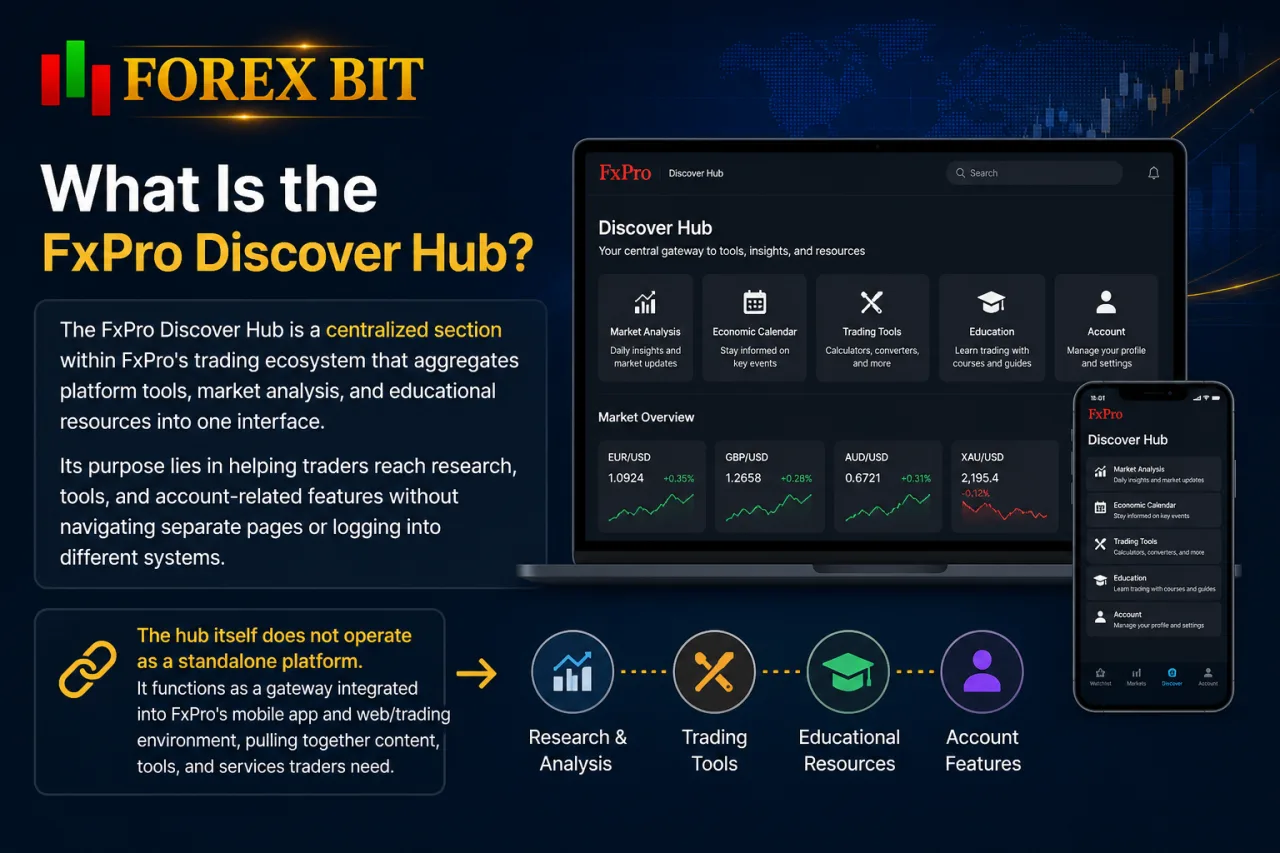
The FxPro Discover Hub is a centralized section within FxPro’s trading ecosystem that aggregates platform tools, market analysis, and educational resources into one interface. Its purpose lies in helping traders reach research, tools, and account-related features without navigating separate pages or logging into different systems.
The hub itself does not operate as a standalone platform. It functions as a gateway integrated into FxPro’s mobile app and web/trading environment, pulling together content that already exists across FxPro’s ecosystem rather than introducing an entirely separate service.
Traders open the Discover Hub from within their existing FxPro account, so no additional registration or login step applies. This structure positions the hub as an access layer, not a replacement for FxPro’s dedicated trading platforms or standalone analytical tools.
What Tools and Features Are Included in the Discover Hub?
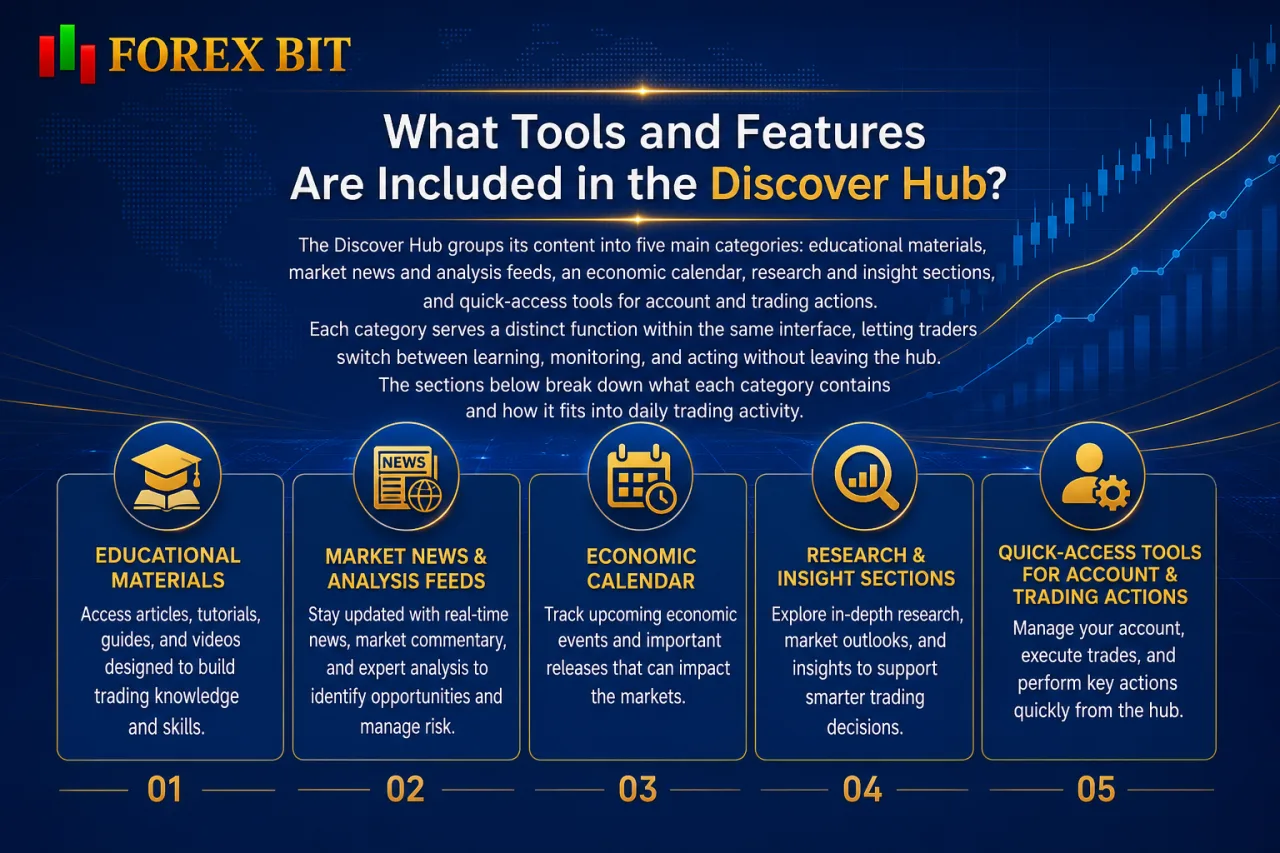
The Discover Hub groups its content into five main categories: educational materials, market news and analysis feeds, an economic calendar, research and insight sections, and quick-access tools for account and trading actions. Each category serves a distinct function within the same interface, letting traders switch between learning, monitoring, and acting without leaving the hub.
The sections below break down what each category contains and how it fits into daily trading activity.
What Educational Resources Are Available in the Hub?
The Discover Hub groups educational content into structured guides, market-focused articles, and step-by-step tutorials covering trading fundamentals, technical analysis, and platform usage. These materials sit within the same category discussed earlier as one of the hub’s five main sections, positioned for traders building or refreshing market knowledge without leaving the account interface.
The educational content breaks down into three main formats:
- Guides: Cover foundational topics such as order types, risk management concepts, and instrument-specific mechanics, formatted as written articles rather than interactive courses.
- Tutorials: Focus on practical platform usage, walking traders through account features, tool navigation, and execution steps within FxPro’s environment.
- Market-focused articles: Connect directly to the news and analysis feeds referenced in the tools overview, giving educational content a link to live market context rather than isolated theory.
Content depth varies by topic, with some materials aimed at newer traders and others addressing intermediate concepts. FxPro structures these resources primarily as text-based guides and articles rather than video courses or certification programs.
What Market Analysis and Research Content Does It Offer?
The Discover Hub surfaces market analysis through daily news summaries, broader research articles, and short market commentary tied to major currency pairs, indices, and commodities. This content sits within the tools overview described earlier, functioning as the research layer traders check alongside the economic calendar and educational guides.
News summaries condense daily market-moving events into short written updates, covering central bank decisions, economic data releases, and notable price movements across instruments. Research articles go further, offering context on broader trends or thematic developments rather than single-day snapshots. Market commentary pieces sit between the two, often referencing specific price levels or short-term outlooks tied to active trading conditions.
This layer focuses on general market coverage rather than proprietary trade signals or third-party technical analysis tools. Content updates on a rolling basis to reflect current market conditions, though exact publishing frequency is not specified in FxPro’s public materials. The Discover Hub does not detail the specific data providers or research partners behind this content.
How Does the Discover Hub Integrate With FxPro’s Mobile App and Trading Platforms?
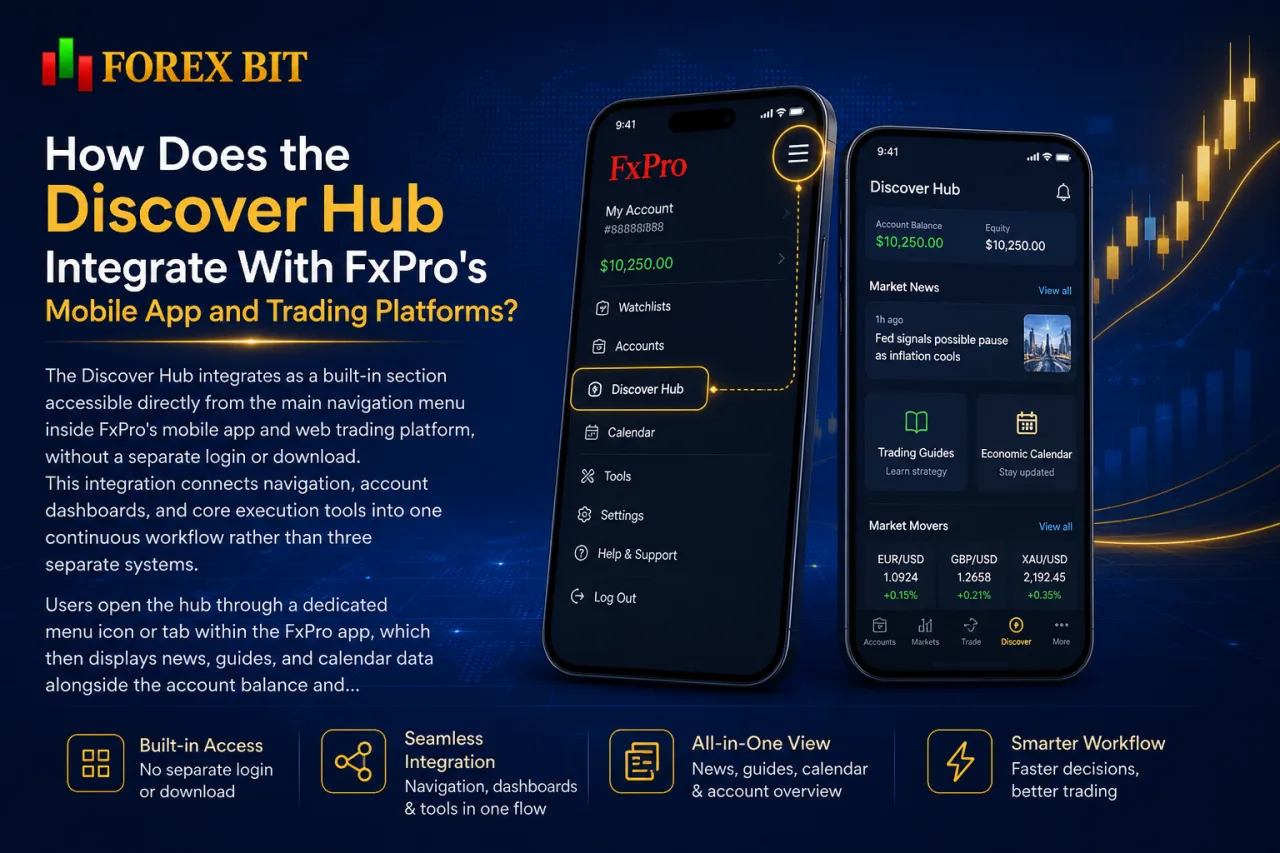
The Discover Hub integrates as a built-in section accessible directly from the main navigation menu inside FxPro’s mobile app and web trading platform, without a separate login or download. This integration connects navigation, account dashboards, and core execution tools into one continuous workflow rather than three separate systems.
Users open the hub through a dedicated menu icon or tab within the FxPro app, which then displays news, guides, and calendar data alongside the account balance and open positions already visible on the dashboard. This shared layout removes the need to switch between apps to check research before placing a trade. On desktop, the same hub appears within FxPro’s web-based trading environment, keeping content synced with the mobile version so traders see consistent updates regardless of device.
The hub does not merge with or alter MetaTrader, cTrader, or FxPro Edge order execution screens. It acts as a companion layer that traders reference before or during use of these platforms, with trade execution itself remaining inside the dedicated trading terminals rather than the Discover Hub interface. General accessibility spans both mobile and desktop environments, though feature parity between the two is not detailed in FxPro’s public documentation.
Where Can Traders Find the Discover Hub Inside the FxPro App?
Traders locate the Discover Hub through a dedicated menu icon on the FxPro app’s main navigation bar, typically positioned alongside account and trading tabs. This navigation path stays consistent with the shared menu structure described earlier, keeping the hub reachable without a separate app or login step.
After opening the FxPro app and signing into an existing account, the hub appears as one of the primary sections on the bottom or side navigation bar rather than buried inside settings or account menus. Tapping this icon loads the same news feeds, guides, and economic calendar referenced in the tools overview, displayed alongside account balance and position data already visible on the dashboard.
Menu placement and icon labeling can vary slightly between app versions and operating systems. FxPro does not publish a fixed step-by-step navigation map covering every app version or device type.
Traders unfamiliar with the layout can also check FxPro’s in-app help or onboarding prompts, which typically highlight new sections like the Discover Hub during initial account setup.
How Does the Discover Hub Compare to Other FxPro Platform Tools and Services?
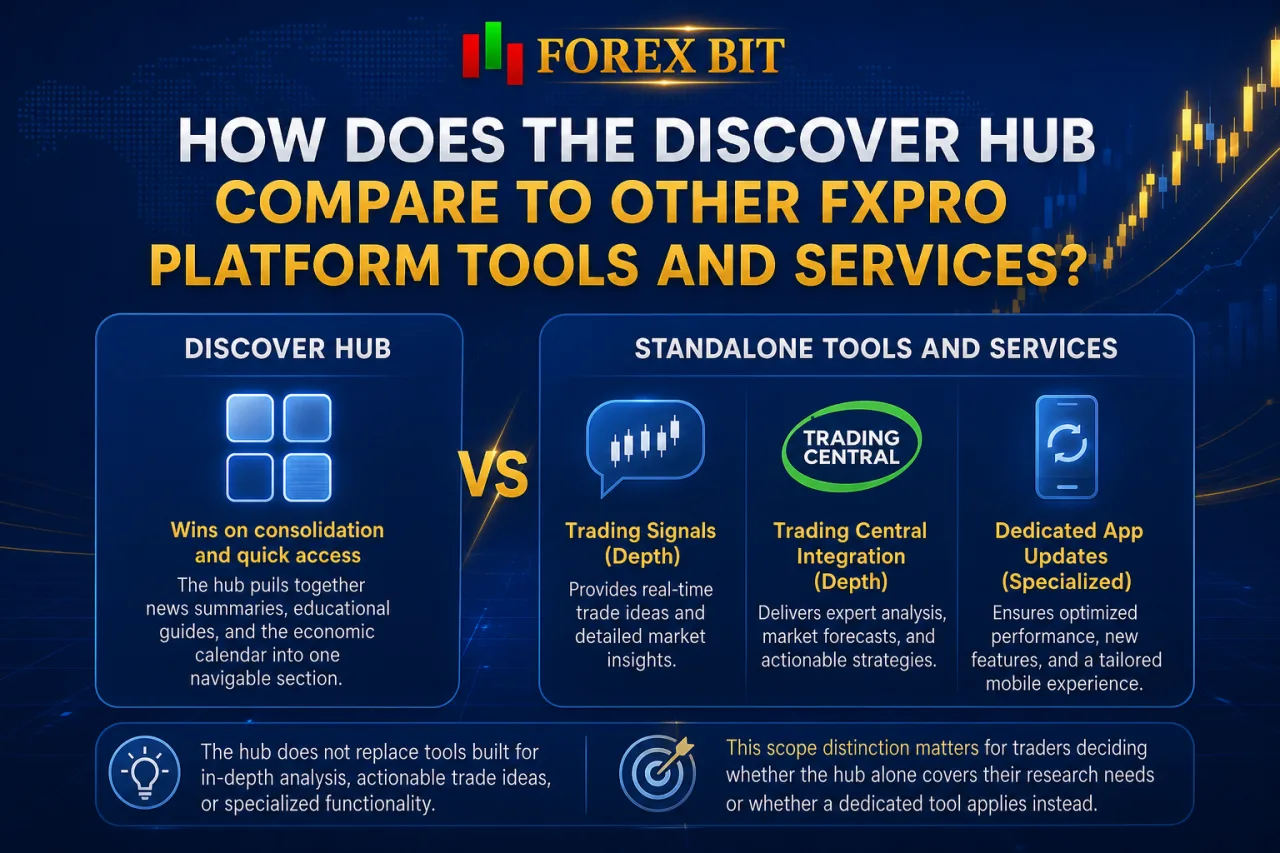
The Discover Hub wins on consolidation and quick access, while standalone features like trading signals, Trading Central integration, and dedicated app updates win on depth and specialized functionality. This scope distinction matters for traders deciding whether the hub alone covers their research needs or whether a dedicated tool applies instead.
The hub pulls together news summaries, educational guides, and the economic calendar into one navigable section, but it does not replace tools built for a single specialized purpose. Trading signals, for instance, operate as their own feature within FxPro’s ecosystem, generating specific trade ideas rather than general market commentary. Trading Central integration likewise functions as a distinct analytical service layered into FxPro’s platforms, offering technical scenarios and structured analysis beyond what the Discover Hub’s research articles provide.
App updates and platform-specific features, such as new order types or interface changes, get released and documented separately from the Discover Hub’s content categories. The hub may reference or link to these features, but it does not host their full functionality or detailed configuration options.
In practical terms, the Discover Hub serves as a starting point for orientation and daily market context, while traders needing signal-based strategies or in-depth technical scenarios turn to Trading Central or the signals feature directly.
What Unique Customization and Usability Elements Exist Within the Discover Hub Interface?
The Discover Hub offers a small set of usability elements distinct from FxPro’s broader app settings: content layout organization, filtering by topic or asset class, and notifications for new hub updates. These sit apart from device-level accessibility settings or display preferences, applying only to how content appears and refreshes inside the hub itself.
Layout organization groups guides, news, and calendar data into distinct sections rather than a single scrolling feed, letting traders jump directly to a category instead of searching through mixed content. Filtering options narrow displayed material by topic or instrument type, so a trader focused on currency pairs can limit visible articles without browsing unrelated commodity or index content. Notification settings, where enabled, alert users when new articles, guides, or calendar events get added to the hub.
The subsections below cover layout structure and personalization filters in more detail.
Can Traders Personalize Content Shown in the Discover Hub?
Yes, traders personalize content in the Discover Hub through filtering options that prioritize certain content types over others, such as news versus educational material. This addresses whether users control what displays inside the hub, connecting to the filtering functionality already noted as part of the interface’s usability elements.
Filtering settings let a trader narrow visible content by topic or asset class, effectively pushing preferred categories like market news or economic calendar updates ahead of educational guides, or the reverse. This personalization operates within the existing content library rather than pulling in outside sources or third-party feeds. Notification preferences add a secondary layer, letting users choose which update types trigger alerts, such as new research articles versus general educational content. FxPro does not publish a full breakdown of every available personalization setting or how granular these filters go.
Personalization stays limited to display and prioritization rather than editing or removing content categories entirely from the hub.
Conclusion
The FxPro Discover Hub consolidates education, market analysis, and quick-access tools into a single, built-in section of FxPro’s mobile app and web platform, removing the need to navigate separate pages or accounts for research. Its five core categories, guides, news feeds, the economic calendar, research content, and account shortcuts, give traders a shared starting point that stays synced across devices without altering execution on MetaTrader, cTrader, or FxPro Edge.
Filtering and layout options add basic personalization, while deeper needs like trade signals or Trading Central analysis remain separate, specialized features. Overall, the hub functions as an orientation and daily-context layer within FxPro’s broader ecosystem rather than a standalone platform or a substitute for dedicated trading tools.
William Johnson is a Forex & Broker News Analyst at Forex Bit, focusing on broker updates, regulatory developments, payment changes, and security-related news. His work helps readers stay informed about important industry developments and understand how these changes may affect broker services and trading conditions.
Email: [email protected]



Best Brokers

Trade with the world’s largest retail broker and benefit from better - than - market conditions.

We offer a superior trading environment that puts traders in the best position to profit.

Trade with the best trading conditions. WIN THE BEST TRADING ACCOUNT AWARD.

Trade global markets with Interactive Brokers – a highly regulated multi-asset broker built for active and professional investors.






Forex Bit provides independent forex broker reviews, comparisons, guides, and industry news to help traders make informed decisions.
Best Brokers
Metatrader 5 Brokers
Metatrader 4 Brokers
Lowest Spread Forex Broker
Regulated Forex Brokers
Forex Copy Trading
Ctrader Brokers
Best Forex Broker For Beginners