
Learn how to secure your MetaTrader account on Forex-bit.com—protect logins, enable 2FA, and safeguard EA and VPS access for safer trading.
How to Secure a MetaTrader Account: Passwords, 2FA & VPS Safety

Learning how to secure a MetaTrader account starts with protecting the credentials that connect MT4 or MT5 to your broker’s trading server. A compromised trading password could allow someone to access the account and potentially place or modify trades.
Account security also extends beyond the MetaTrader login itself. Traders should protect their broker portal, email account, computer, mobile device, Expert Advisors, and any VPS used for automated trading.
MetaTrader provides security features such as separate trading and investor access, while some MetaTrader environments can also support one-time-password authentication. The exact security options available can depend on the MetaTrader version, broker, and trading-server configuration.
Forex Bit provides educational information about forex platforms and trading technology. Forex Bit does not provide MetaTrader accounts, brokerage services, trading servers, or custody of client funds.
What Makes a MetaTrader Account Vulnerable?
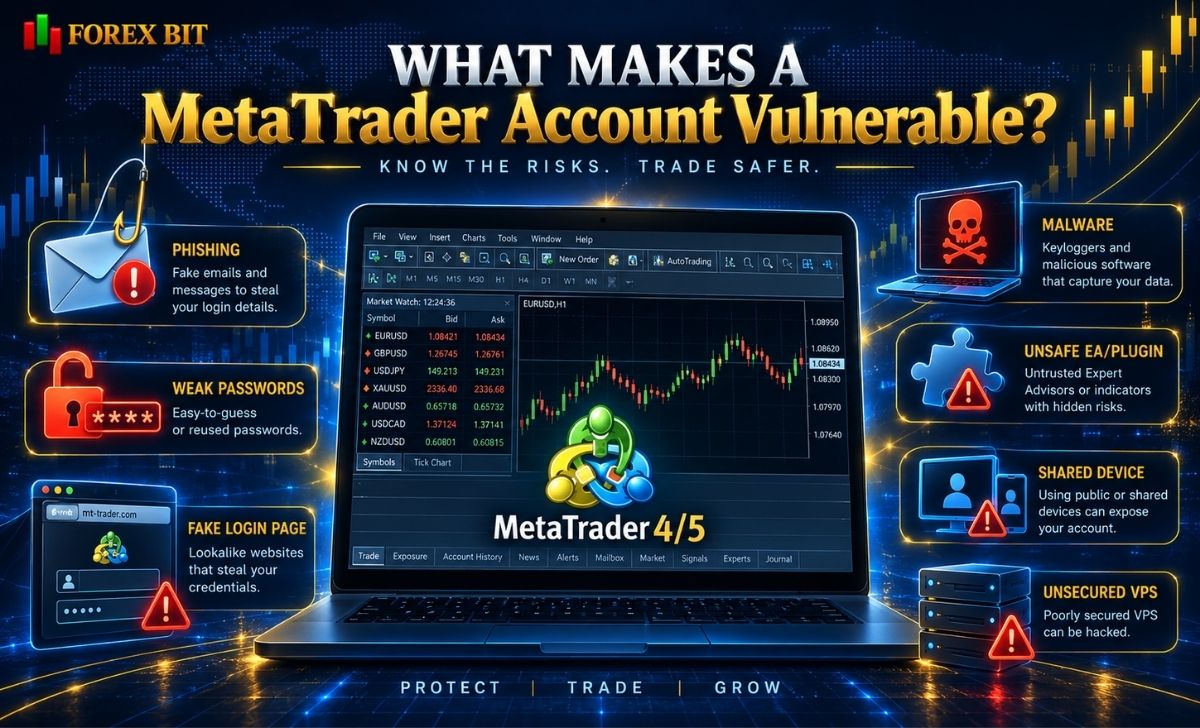
A MetaTrader account normally connects to a broker’s trading server using an account number, a password, and the correct server.
MetaTrader 5 documentation confirms that users connect using a login and password and that the platform distinguishes between master and investor access.
Security problems can arise when one or more parts of this access chain are exposed.
Common risks include:
- Reusing the same password across several websites
- Sharing the trading password with another person
- Entering credentials into a fake broker website
- Downloading MetaTrader from an untrusted source
- Installing unknown Expert Advisors or indicators
- Saving credentials on a shared computer
- Leaving a VPS poorly secured
- Giving third-party services more permissions than necessary
- Failing to monitor account activity
Phishing and Fake Login Pages
Phishing is especially dangerous because an attacker may create a website that looks like a broker, MetaTrader service, or trading tool and ask the user to log in.
NIST notes that phishing commonly works by directing users to fake websites designed to collect usernames and passwords. It recommends using multifactor authentication and a password manager to reduce account-security risks.
Instead of opening login links from unsolicited emails or messages, navigate directly to the broker’s official website or use a verified bookmark.
Untrusted MetaTrader Software
Only install MetaTrader from a trusted source.
Depending on the broker, this may be:
- The broker’s official website
- MetaQuotes
- An official app store
Avoid cracked terminals, modified installers, or software distributed through unknown Telegram channels, forums, file-sharing sites, or unsolicited messages.
A trading terminal can contain access to a live financial account, so it should be treated like other sensitive financial software.
Untrusted Expert Advisors and Indicators
Expert Advisors, scripts, and indicators can also introduce risk.
Be especially cautious when software requests:
- DLL permissions
- Access to external websites
- Local file access
- Trading permissions
- Administrator access
Do not assume an EA is safe simply because it promises good trading performance.
How to Secure Your MetaTrader Login and Passwords
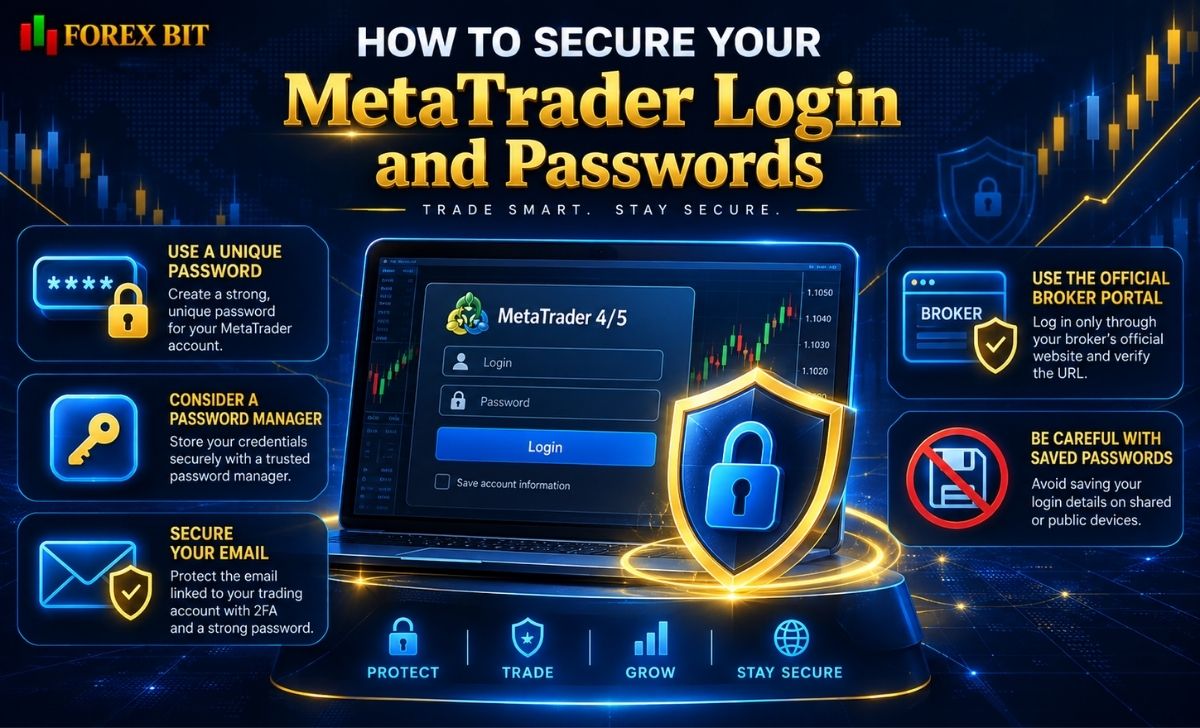
Password security is the foundation of protecting a MetaTrader account.
The trading password should be unique and should not be reused for email, social media, broker portals, VPS access, or other financial accounts.
Use a Unique Password
NIST currently recommends using long passwords and encourages password managers for generating and storing unique credentials. It also recommends multifactor authentication whenever it is available.
For MetaTrader and related broker accounts:
- Never reuse passwords
- Avoid names and birthdays
- Avoid predictable sequences
- Store passwords in a reputable password manager
- Do not keep credentials in unsecured text files
- Do not send passwords through chat or email
MetaTrader 5 can also enforce password requirements through the trade server. Its current documentation notes that the server administrator can require a master-password change and impose password-complexity requirements.
Protect the Broker Portal Separately
Your MetaTrader trading login and your broker’s client portal may use different credentials.
The broker portal can potentially control sensitive functions such as:
- Personal information
- Deposits
- Withdrawals
- Account creation
- Password resets
- Security settings
Therefore, it should have a different password from MetaTrader.
If the broker supports MFA or passkeys on its portal, enable the strongest available option.
Protect Your Email Account
Your email account may be used for:
- Password reset links
- Broker notifications
- Verification codes
- Security alerts
Compromising the email account can therefore make other account-security measures less effective.
Use a unique password and MFA on the email account as well.
CISA recommends unique passwords, password managers, software updates, and phishing-resistant MFA where supported.
Be Careful With Saved Passwords
Both MT4 and MT5 can remember account credentials.
MetaTrader 5, for example, provides a “Save password” option when connecting to an account.
Saving credentials may be convenient on a private computer, but it is inappropriate on:
- Public computers
- Shared office PCs
- Borrowed devices
- Untrusted VPS environments
If someone gains access to an already authenticated terminal, they may not need to know the password to interfere with trading activity.
How Do Investor Passwords and 2FA Improve MetaTrader Security?
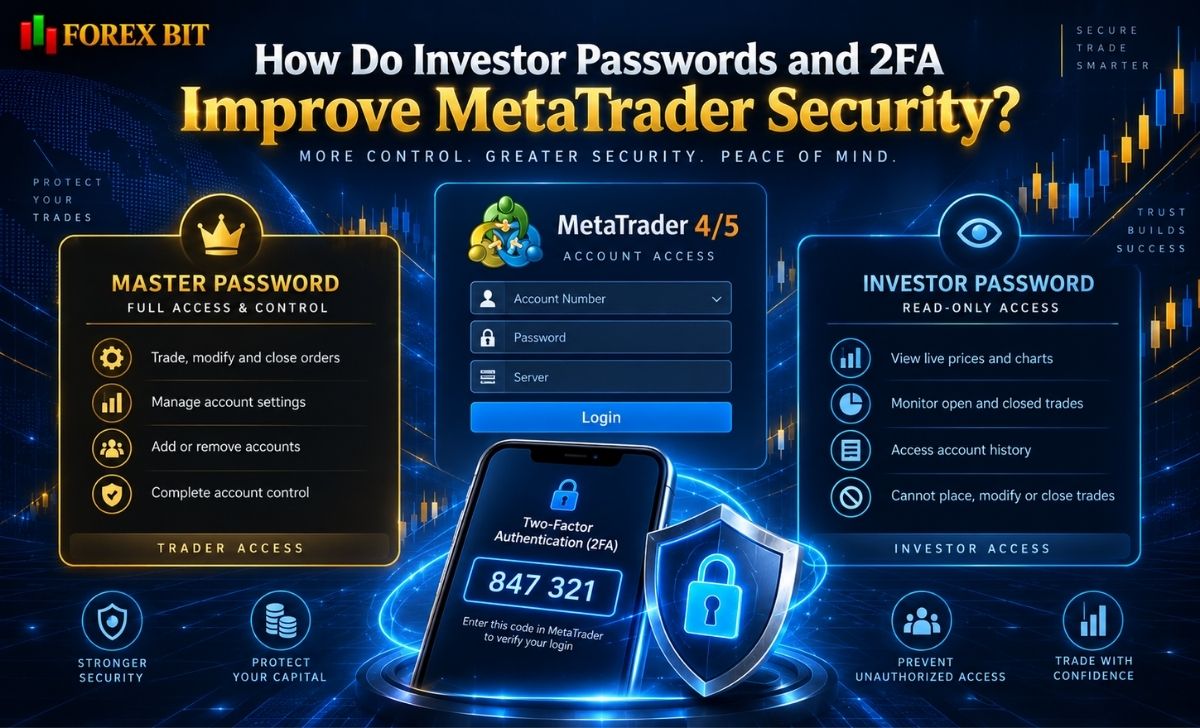
One of the most useful MetaTrader security concepts is the separation between full trading access and read-only access.
Master Password vs Investor Password
MetaTrader 5 provides two types of account access:
| Access Type | View Account | Analyze Markets | Place Trades |
| Master password | Yes | Yes | Yes |
| Investor password | Yes | Yes | No |
MetaQuotes states that logging in with the master password provides full rights to the account, while investor authorization allows account viewing and analysis but does not permit trading.
MT4 has a similar structure using its normal trading password and investor password. Its official documentation likewise states that investor authorization permits account monitoring but not trading.
This means:
Do not give your master/trading password to someone who only needs to view the account.
When Should You Use the Investor Password?
Investor access may be useful when a third party needs to review:
- Trading history
- Account performance
- Open positions
- Strategy results
Because it does not provide normal trading authority, it reduces the risk associated with giving someone account visibility.
However, read-only access still exposes potentially sensitive information such as:
- Position sizes
- Trading times
- Strategy behavior
- Account performance
Only share it when necessary.
Does MetaTrader Support Two-Factor Authentication?
MetaTrader has supported one-time-password authentication, but an important limitation must be understood:
availability depends on the trading server.
MetaQuotes introduced OTP authentication as an additional layer for connecting to trading accounts and states that the option must be enabled on the trade server.
Therefore, traders should not assume that every MT4 or MT5 account automatically supports the same 2FA configuration.
Check with the broker to determine whether it provides:
- MetaTrader OTP
- Authenticator-app MFA
- Security keys
- Passkeys
- SMS verification
- Additional broker-portal authentication
Broker MFA Is Not Always MetaTrader MFA
There can be two separate authentication layers:
Broker Client Portal → MetaTrader Trading Account
A broker may require MFA for its website but not for every MT4/MT5 terminal login.
Conversely, a MetaTrader server may support an OTP mechanism.
Protect both wherever options are available.
NIST notes that MFA provides an additional barrier when a password has already been compromised, although some MFA methods are more resistant to phishing than others.
How to Secure MetaTrader EAs, Devices and VPS Access
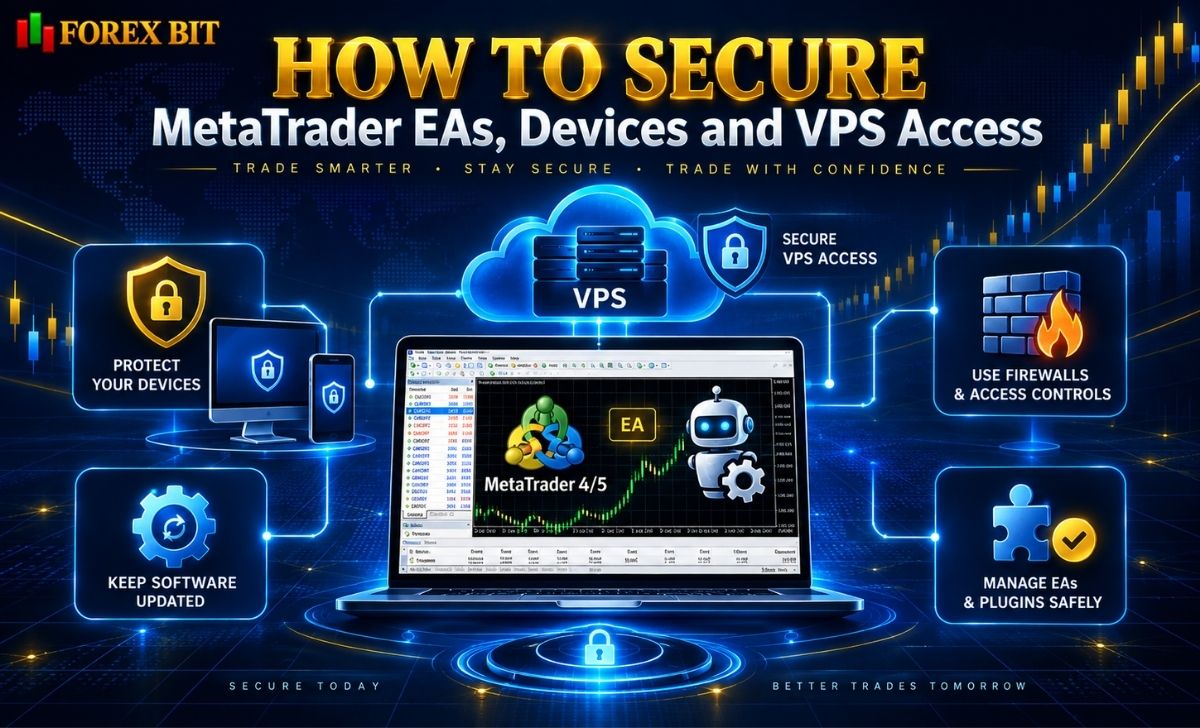
Knowing how to secure a MetaTrader account also requires protecting the environment where MetaTrader runs.
This becomes particularly important when using Expert Advisors continuously.
Keep Your Computer Updated
A secure trading computer should have:
- Current operating-system updates
- Current MetaTrader version
- Firewall enabled
- Malware protection
- Secure screen lock
- Restricted user access
CISA recommends keeping operating systems and applications updated because updates can address vulnerabilities that attackers may otherwise exploit.
Avoid using a trading computer for downloading unknown files or running cracked software.
Secure Expert Advisors
Before installing an EA:
- Identify the source.
- Understand what permissions it requires.
- Scan files before execution.
- Test it in a non-live environment.
- Avoid unnecessary external connections.
- Review trading permissions.
Be particularly careful with unknown DLL files.
A DLL is executable code and may have capabilities beyond the trading logic visible inside MetaTrader.
Secure Your VPS
A VPS is commonly used to keep MetaTrader and automated trading systems operating continuously.
MetaQuotes describes its virtual-hosting service as providing round-the-clock platform operation for trading robots, Expert Advisors, and signal subscriptions.
A VPS improves availability, but a VPS is not automatically secure.
For a traditional Windows VPS, basic precautions include:
- Use a unique VPS administrator password
- Never reuse the MetaTrader password
- Limit Remote Desktop access where possible
- Enable the firewall
- Keep Windows updated
- Remove unnecessary software
- Avoid shared administrator accounts
- Do not expose unnecessary ports
- Restrict clipboard/file sharing where appropriate
Never Use One Password for Everything
A secure setup should use different credentials for:
Broker portal ≠ MetaTrader ≠ Email ≠ VPS ≠ Password manager
If one credential is compromised, password separation helps prevent the attacker from immediately accessing every other service.
Monitor Automated Trading
Running an EA on a VPS does not mean it should be ignored.
Regularly review:
- Open positions
- Order history
- EA logs
- MetaTrader Journal
- VPS activity
- Unexpected connection errors
An automated system can continue operating even when its settings are incorrect.
What Should You Do If You Suspect Unauthorized MetaTrader Access?
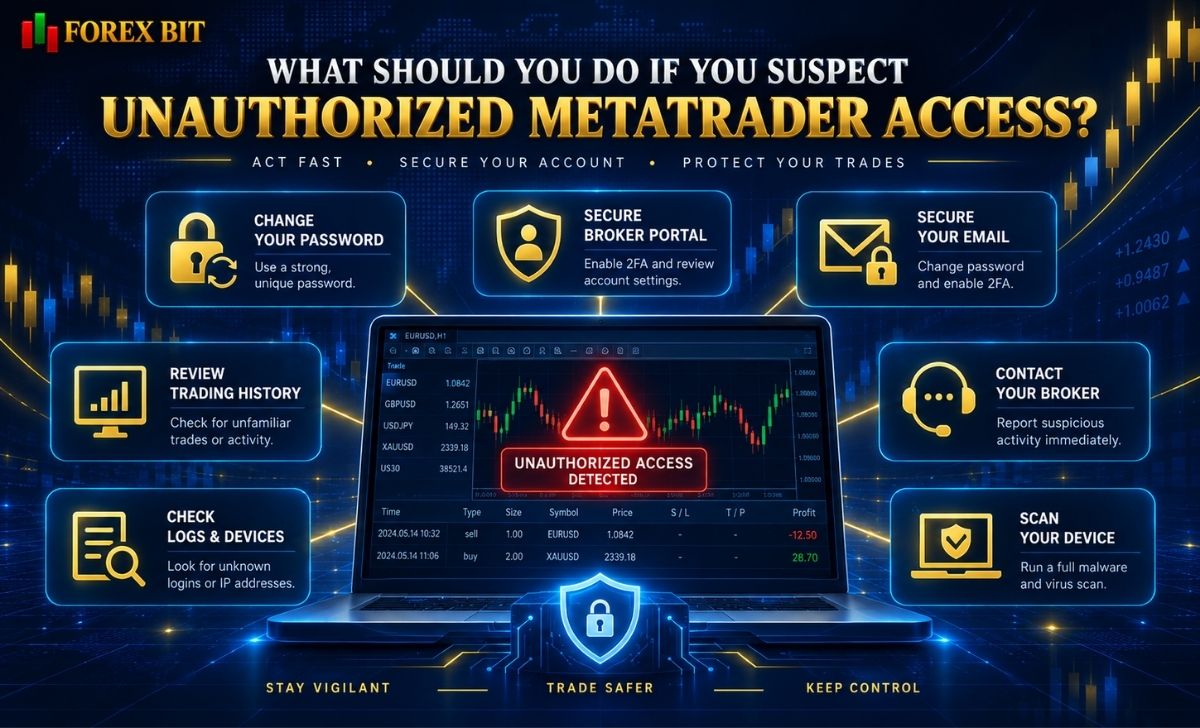
Fast action matters when suspicious activity appears.
Potential warning signs include:
- Trades you did not place
- Unexpected position sizes
- Orders placed at unusual times
- Password-change notifications
- Unknown login alerts
- Unexpected EA behavior
- Changes to broker account settings
1. Stop Trading Activity if Necessary
If an EA appears compromised or malfunctioning, disable automated trading and assess open positions.
Do not continue operating the same system until the cause is understood.
2. Change the Trading Password
Change the MetaTrader master/trading password through the appropriate broker-supported procedure.
Do not reuse the previous password.
If investor access was previously shared, consider changing that password as well.
3. Secure the Broker Portal
Change the broker-portal password and review:
- Security settings
- Active sessions
- Withdrawal information
- Contact information
- Linked accounts
Enable or reset MFA if needed.
4. Secure Your Email
If phishing or credential theft is suspected, change the associated email password as well.
NIST recommends immediately changing affected passwords after a suspected phishing compromise and replacing reused passwords on other accounts with unique credentials.
5. Check Trading History
Review:
- Symbol
- Trade direction
- Volume
- Entry time
- Exit time
- Stop Loss
- Take Profit
- Profit/loss
Compare the account history with the trades you actually intended to place.
6. Check MetaTrader Logs
MetaTrader’s logs can help identify:
- Login attempts
- Connection events
- EA activity
- Execution messages
- Trading errors
Preserve relevant records instead of deleting them immediately.
7. Contact the Broker
Report suspicious activity to the broker using its verified support channels.
Provide:
- Account number
- Suspicious order numbers
- Approximate time of the incident
- Screenshots where useful
- Relevant platform logs
Do not send your current password.
8. Scan the Device or Rebuild the Environment
If malware is suspected, changing a password on the same compromised device may not solve the problem.
Scan the system and, where necessary, reinstall or rebuild the affected environment before entering new financial credentials.
Conclusion
Learning how to secure a MetaTrader account means protecting more than just the MT4 or MT5 password. Use unique credentials, separate master and investor access, enable MFA or OTP where supported, secure the broker portal and email account, and protect any computer or VPS running MetaTrader. Regularly checking account history and responding quickly to unfamiliar activity can further reduce the risk of unauthorized trading or credential misuse.
Isabella Brown is the Forex Trading Guide Manager at Forex Bit, focusing on educational content about broker safety, trading costs, account types, platforms, and key Forex/CFD concepts. Her work helps readers understand trading terms, broker conditions, and practical checks before evaluating or using a brokerage service.
Email: [email protected]


Best Brokers

Trade with the world’s largest retail broker and benefit from better - than - market conditions.

We offer a superior trading environment that puts traders in the best position to profit.

Trade with the best trading conditions. WIN THE BEST TRADING ACCOUNT AWARD.

Trade global markets with Interactive Brokers – a highly regulated multi-asset broker built for active and professional investors.





Forex Bit provides independent forex broker reviews, comparisons, guides, and industry news to help traders make informed decisions.
Best Brokers
Metatrader 5 Brokers
Metatrader 4 Brokers
Lowest Spread Forex Broker
Regulated Forex Brokers
Forex Copy Trading
Ctrader Brokers
Best Forex Broker For Beginners