
Discover how MetaTrader 5 Web works, its execution model, key tools, and broker access — everything you need before trading in your browser.
MetaTrader 5 Web: Features, Access & Execution Guide

MetaTrader 5 Web lets traders execute trades directly from a browser without installing any software. The platform runs the core MT5 environment through WebTrader, giving access to charts, order execution, and account management on any device with internet access.
MetaTrader 5 Web offers a lighter feature set compared to the MT5 desktop and mobile apps, focusing on essential trading functions rather than the full toolset. Desktop retains the widest range of indicators and automated trading support, while the web and mobile versions prioritize speed and accessibility over customization.
Access to MetaTrader 5 Web depends on the broker offering WebTrader integration and valid trading account credentials. Login typically requires the account number, password, and the specific server address assigned by the broker.
MetaTrader 5 Web supports core order types, real-time execution, and basic charting tools directly through the browser interface. Market and pending orders, position monitoring, and trade history are available without needing a desktop installation.
This guide from Forex Bit breaks down how MetaTrader 5 Web functions, starting with a closer look at what the WebTrader platform actually is.
What Is MetaTrader 5 Web (WebTrader)?
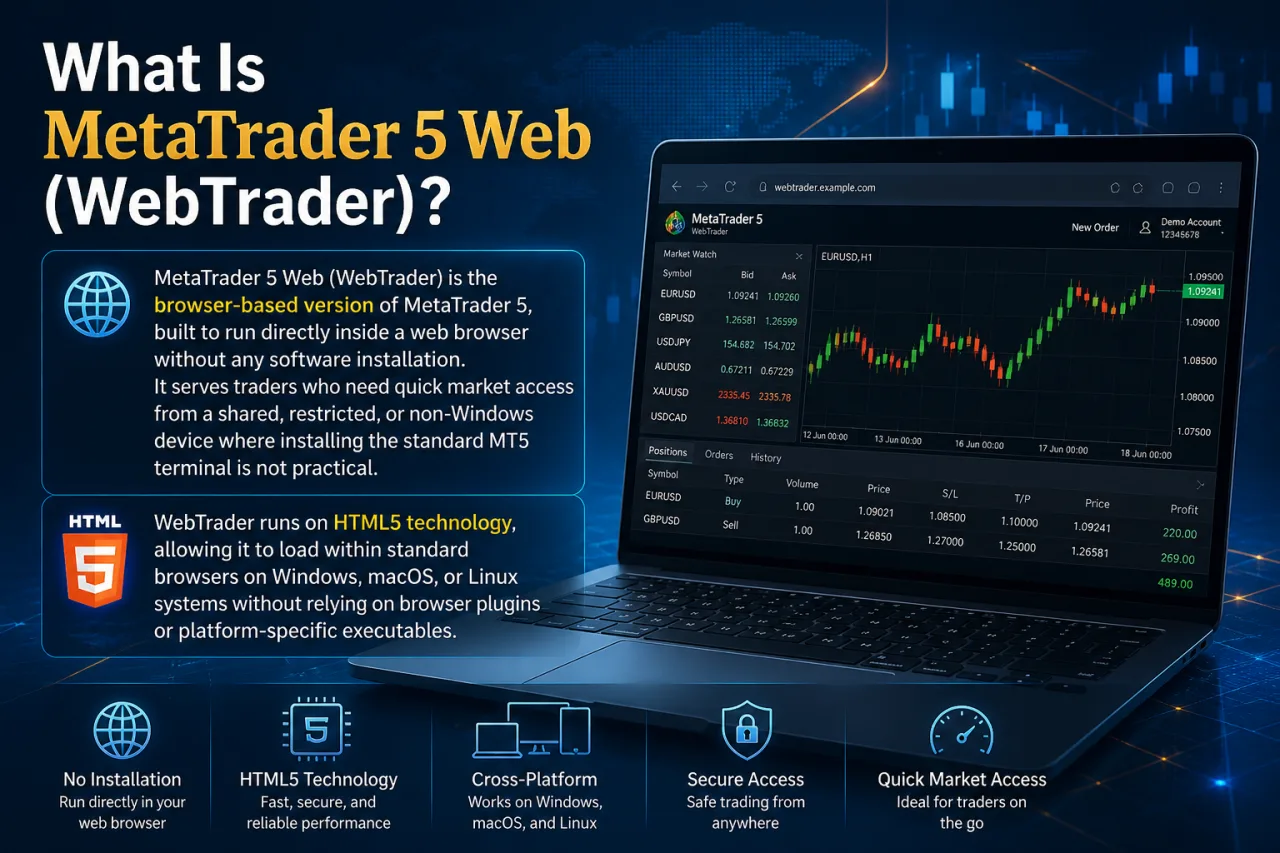
MetaTrader 5 Web (WebTrader) is the browser-based version of MetaTrader 5, built to run directly inside a web browser without any software installation. It serves traders who need quick market access from a shared, restricted, or non-Windows device where installing the standard MT5 terminal is not practical.
WebTrader runs on HTML5 technology, allowing it to load within standard browsers on Windows, macOS, or Linux systems without relying on browser plugins or platform-specific executables. This underlying framework keeps the interface consistent across operating systems while reproducing the core MT5 trading environment, including charting, order placement, and account monitoring.
Within the broader MetaTrader 5 ecosystem, WebTrader positions itself as the accessibility layer alongside the desktop and mobile applications. Desktop remains the primary environment for full customization and automated trading, mobile apps extend trading to smartphones and tablets, and WebTrader fills the gap for instant, install-free access from any internet-connected browser.
How to Access and Log In to MetaTrader 5 Web?
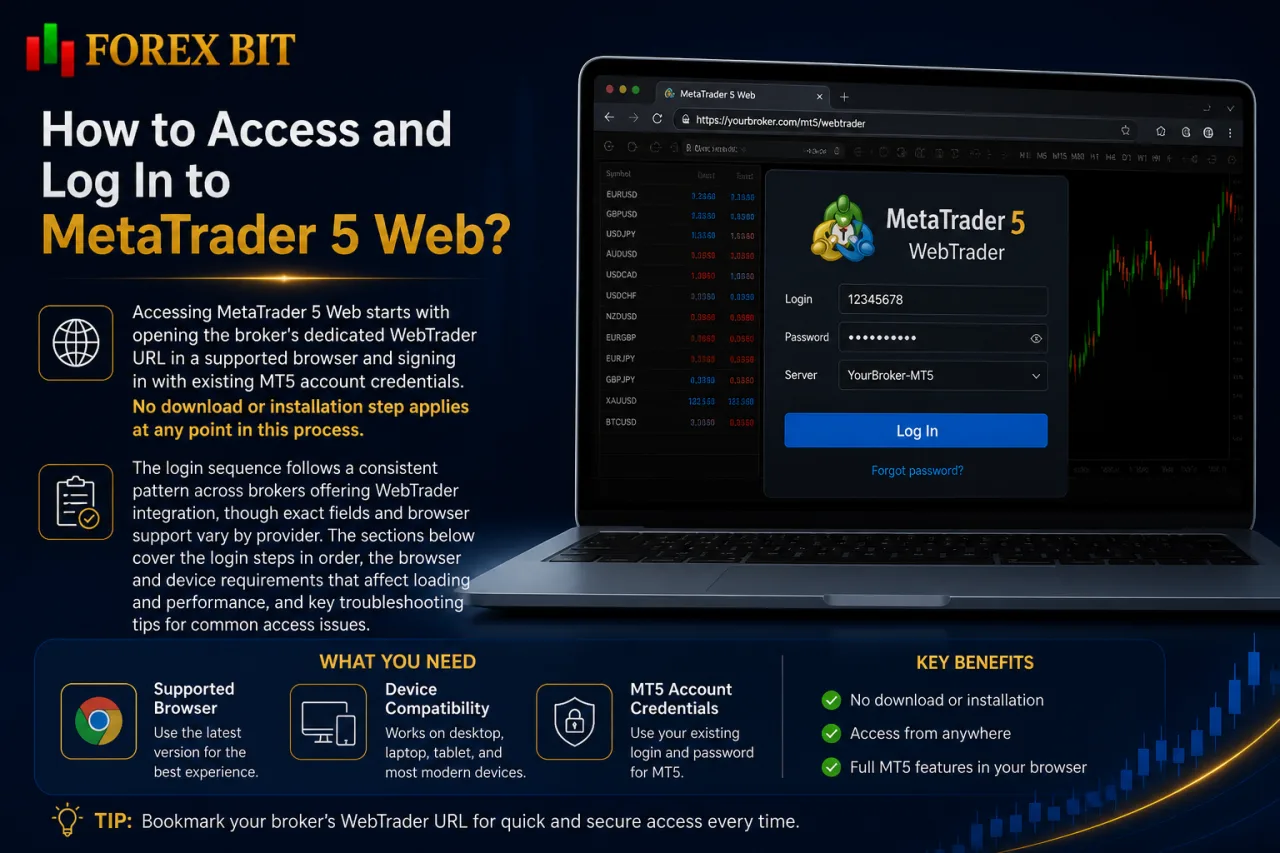
Accessing MetaTrader 5 Web starts with opening the broker’s dedicated WebTrader URL in a supported browser and signing in with existing MT5 account credentials. No download or installation step applies at any point in this process.
The login sequence follows a consistent pattern across brokers offering WebTrader integration, though exact fields and browser support vary by provider. The sections below cover the login steps in order, the browser and device requirements that affect loading and performance, and the common access issues traders encounter along with practical fixes.
What Are the System and Browser Requirements?
Running MetaTrader 5 Web smoothly requires an updated modern browser, a stable internet connection, and JavaScript enabled, with no separate plugin installation needed. The platform loads directly through HTML5, so the browser itself handles rendering charts and processing order execution.
Supported browsers cover the most widely used options: Chrome, Firefox, Safari, and Edge. Older or outdated browser versions can load MetaTrader 5 Web with limited chart responsiveness and interface display issues.
Connection stability affects execution reliability more than raw speed. A wired or strong Wi-Fi connection keeps price feeds and order confirmations synced without interruption, while unstable networks risk delayed quote updates or disconnected sessions during active trading.
JavaScript must stay enabled at all times, since WebTrader depends on it for real-time chart updates, order forms, and account data refresh. No browser extensions, Java applets, or Flash components are required, as the HTML5 framework replaces the need for third-party plugins entirely.
Do You Need to Download or Install Anything?
No, MetaTrader 5 Web requires no download or installation, since WebTrader runs entirely inside the browser through HTML5 technology. This confirms the no-download nature already established for the platform’s login process.
Three points support this: the browser loads the trading interface directly from the broker’s server, no executable file or setup wizard runs on the device, and closing the browser tab ends the session without leaving residual trading software behind.
An exception applies for traders needing deeper customization. The full MT5 desktop application remains available as a separate optional install for users who require the complete indicator library, Strategy Tester, or automated trading through Expert Advisors, features that WebTrader does not replicate in its lighter, browser-based format.
What Features and Trading Tools Does MetaTrader 5 Web Offer?
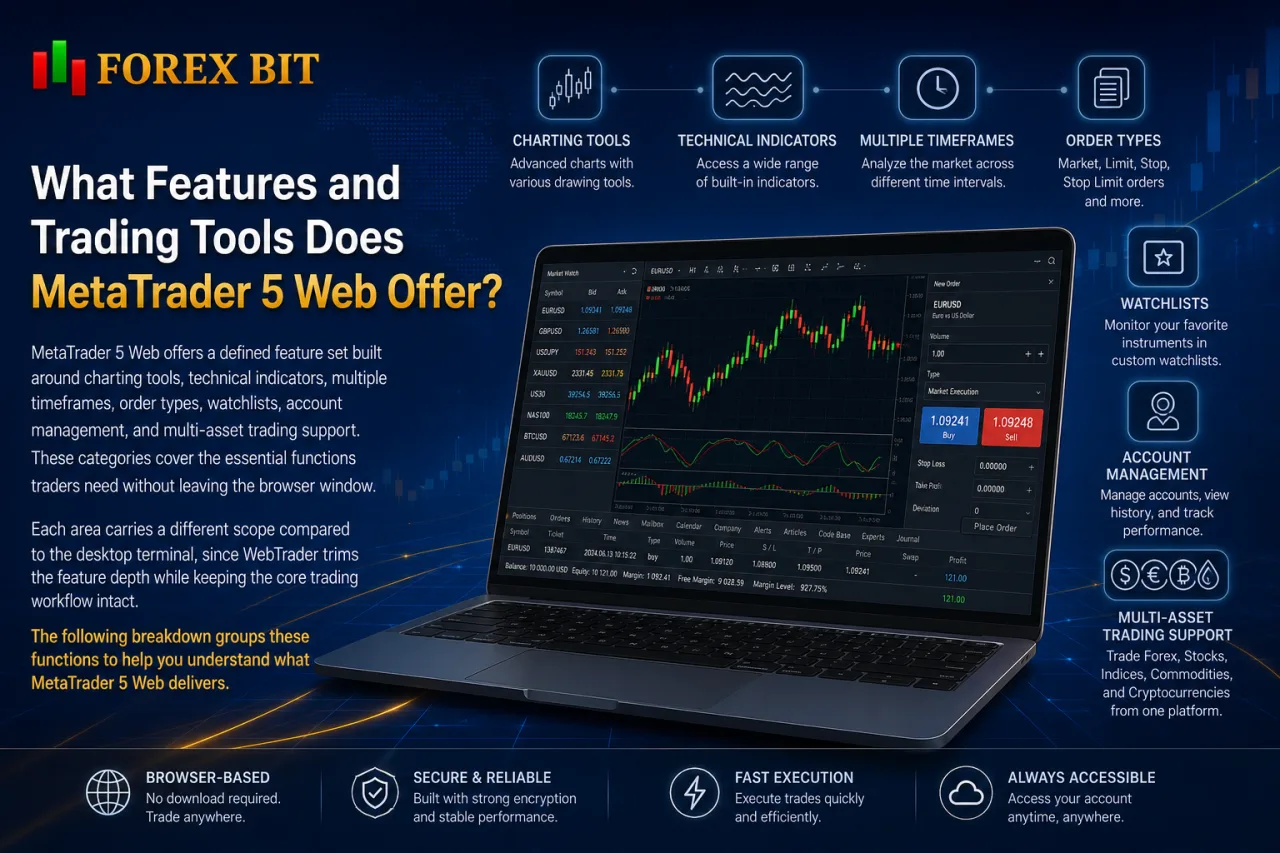
MetaTrader 5 Web offers a defined feature set built around charting tools, technical indicators, multiple timeframes, order types, watchlists, account management, and multi-asset trading support. These categories cover the essential functions traders need without leaving the browser window.
Each area carries a different scope compared to the desktop terminal, since WebTrader trims the feature depth while keeping the core trading workflow intact. The following breakdown groups these functions to clarify what stays available in the browser and what remains limited to the fuller desktop environment.
What Order Types and Execution Methods Are Supported?
MetaTrader 5 Web supports four core order types (market, pending, stop, and limit) executed through the market execution model. This order handling structure mirrors the desktop terminal’s core logic while running entirely inside the browser interface.
Market orders fill at the current available price, sending an instant buy or sell request without setting a specific entry level. Pending orders queue a trade for future execution once price reaches a chosen level, covering both stop orders, which trigger once price moves past a set point, and limit orders, which trigger once price reaches a more favorable level.
Execution runs on the market execution model rather than instant execution, meaning WebTrader routes orders to the broker’s pricing server for a fill at the best available price rather than a fixed quoted price. This execution approach applies consistently across the order types available in MetaTrader 5 Web, since the platform does not separate execution logic by order category.
Order modification and cancellation stay available directly from the open positions and pending orders panels, keeping trade management within the same browser window used for placing new orders.
What Charting and Analysis Tools Are Available?
MetaTrader 5 Web provides multiple timeframes, a core set of technical indicators, drawing tools, and several chart types directly inside the browser. This charting toolkit covers the analysis functions needed for active order placement without requiring the desktop terminal.
Timeframes range from one-minute intervals up to monthly charts, letting traders switch between short-term and longer-term views on the same instrument. The indicator library includes trend, oscillator, volume, and Bill Williams categories, though the total count runs lower than the desktop version’s full library.
Drawing tools cover trend lines, channels, Fibonacci levels, and basic geometric shapes for marking support, resistance, and price patterns directly on the chart.
Chart types include candlestick, bar, and line formats, each selectable per instrument and timeframe. Chart windows also support multiple layouts side by side, allowing several instruments to stay visible within the same browser session without switching tabs.
MetaTrader 5 Web vs Desktop vs Mobile: What Are the Key Differences?
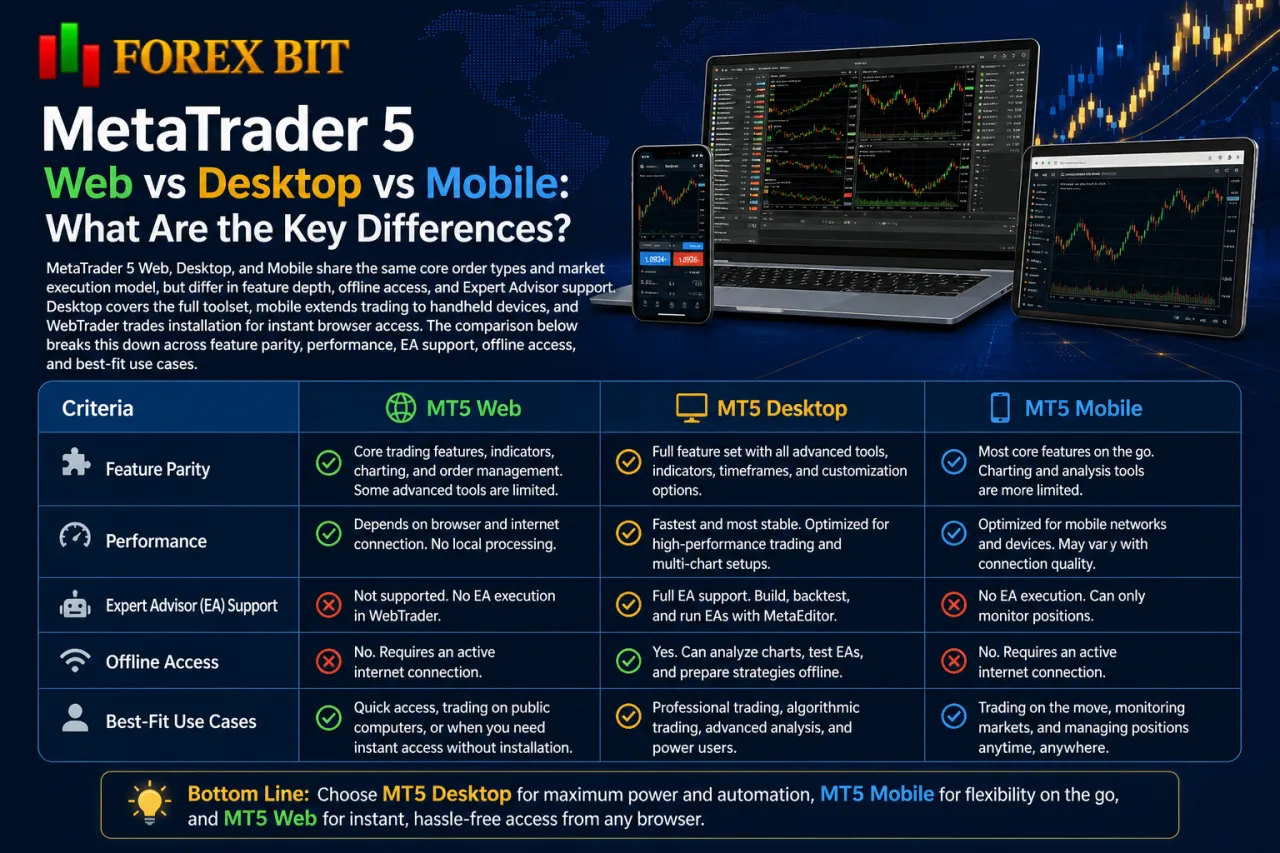
MetaTrader 5 Web, Desktop, and Mobile share the same core order types and market execution model, but differ in feature depth, offline access, and Expert Advisor support. Desktop covers the full toolset, mobile extends trading to handheld devices, and WebTrader trades installation for instant browser access. The comparison below breaks this down across feature parity, performance, EA support, offline access, and best-fit use cases.
| Criteria | MT5 Web | MT5 Desktop | MT5 Mobile |
|---|---|---|---|
| Installation | None, runs in browser | Required, full software install | Required, app store download |
| Feature parity | Core charting, indicators, order types | Full indicator library, Strategy Tester | Core charting, touch-optimized tools |
| Expert Advisor support | Not supported | Fully supported | Not supported |
| Offline access | None, requires active connection | None, requires active connection | None, requires active connection |
| Performance | Depends on browser and connection | Fastest, native processing | Optimized for mobile hardware |
| Best suited for | Quick access from shared or restricted devices | Algorithmic traders, full customization | On-the-go monitoring and order management |
None of the three versions function offline, since all rely on a live connection to the broker’s trading server for quotes and execution. Desktop stands out as the only environment supporting automated trading through Expert Advisors, while WebTrader and mobile focus on manual order placement and position monitoring within their respective lighter interfaces.
Does MetaTrader 5 Web Support Expert Advisors and Automated Trading?
No, MetaTrader 5 Web does not support Expert Advisors or automated trading directly in the browser, unlike the desktop terminal. This limitation ties back to WebTrader’s lighter, browser-based architecture, which trims the algorithmic trading layer along with the Strategy Tester and MQL5 compilation tools.
Three factors explain this gap. First, WebTrader’s HTML5 framework processes charting and manual order execution but does not host the runtime environment EAs need to attach to a chart and monitor price ticks continuously. Second, automated strategies require constant background execution, something a browser tab cannot reliably sustain once closed or refreshed. Third, EA deployment depends on file access to place .ex5 programs into a terminal’s data folder, a step WebTrader’s interface does not expose.
Traders running automated strategies still manage the same account visible in WebTrader through two paths. A VPS-hosted MT5 desktop terminal keeps EAs running continuously while positions and balances stay viewable in the browser. Alternatively, the local desktop terminal handles EA execution directly, with WebTrader used only for quick manual checks or order adjustments on the same account.
Which Brokers Offer MetaTrader 5 Web Access?

Broker availability determines MetaTrader 5 Web access, since each broker chooses whether to license and host a WebTrader portal for its clients. No universal MT5 Web login exists outside a broker’s own trading infrastructure.
This licensing decision shapes how traders reach the browser platform and where to verify support before relying on it for execution. The points below cover how broker-branded portals operate and how to confirm access on a specific account.
Broker-branded WebTrader portals run on infrastructure connected directly to that broker’s trading servers, displaying the broker’s own branding, account types, and instrument list rather than a generic MetaTrader interface. Access depends entirely on the broker’s decision to license the MT5 web terminal alongside its desktop and mobile offerings, since MetaQuotes provides WebTrader as an optional component rather than a mandatory part of every MT5 setup.
Checking availability works best through direct verification rather than assumption:
- Visiting the broker’s official website and locating a “WebTrader” or “Web Platform” login link
- Logging into the client portal or account dashboard to check for a browser-based trading option
- Contacting the broker’s support team to confirm whether WebTrader applies to the specific account type held
How to Check If Your Broker Supports MT5 Web Login?
Checking MT5 Web support starts with locating a “WebTrader” or “Web Platform” login link on the broker’s official website or client portal. This verification step confirms whether a specific broker account works with the browser-based platform before relying on it for execution.
Three checks confirm actual eligibility rather than just link presence:
- Locating the WebTrader entry point directly on the broker’s website navigation, footer, or platforms page, since this link only appears when the broker has licensed and hosted a web terminal
- Matching the server name shown at login against the server assigned to the trading account, since a mismatched server blocks access even when WebTrader itself loads correctly
- Confirming account type eligibility through the client portal or support team, since some brokers restrict WebTrader to certain account tiers or exclude it from specific regulatory entities
Logging into the client portal or account dashboard often surfaces a dedicated browser trading option even when no separate WebTrader link appears on the main site. Contacting support directly resolves any doubt about whether a particular account, server, or jurisdiction qualifies for browser-based access.
What Advanced Configuration Options Exist for MetaTrader 5 Web?
MetaTrader 5 Web offers a limited set of advanced configuration options, covering saved workspace layouts per browser session, multi-language interface switching, and two-factor login security. These settings extend beyond basic order execution and charting, addressing how the browser platform adapts to individual session preferences and account protection needs. The subsections below cover each of these areas in turn.
Is One-Click Trading Available on MetaTrader 5 Web?
No, MetaTrader 5 Web does not offer one-click trading, unlike the desktop terminal’s dedicated toggle for instant order placement. WebTrader’s order execution still requires opening the order ticket, confirming the volume and order type, and submitting the trade through a separate confirmation step.
This restriction ties directly to the platform’s lighter, browser-based interface design covered earlier in the order execution breakdown. Three points clarify the gap between the two versions:
- Desktop MT5 places market orders instantly from the chart toolbar once the one-click panel stays enabled, skipping the order ticket entirely.
- WebTrader routes every order, including market orders, through the standard ticket form before submission.
- This added confirmation step on WebTrader reduces the risk of accidental clicks triggering unintended trades, functioning similarly to a built-in risk-confirmation prompt.
Traders prioritizing rapid order entry for scalping strategies find the desktop terminal’s one-click toggle better suited to that execution speed, while WebTrader’s ticket-based flow fits traders who value an extra confirmation layer before each trade fills.
Can You Use Depth of Market (DOM) on MetaTrader 5 Web?
No, MetaTrader 5 Web does not offer Depth of Market (DOM) or Level II pricing data, unlike the full desktop terminal’s dedicated DOM window. This gap follows the same pattern already established for one-click trading, where WebTrader trims advanced order-book tools from its browser-based interface.
Three points clarify the limitation. Desktop MT5 opens a separate DOM window showing pending buy and sell volumes at each price level, a feature tied to the platform’s native processing rather than browser rendering. WebTrader’s order ticket displays only the current bid and ask price, without the multi-level order-book view DOM requires. This restriction affects traders relying on order-book depth to gauge short-term liquidity before placing scalping or high-frequency entries, since that visibility stays exclusive to the desktop version.
Traders needing DOM data alongside quick browser access still monitor the same account by keeping the desktop terminal open for order-book analysis while using WebTrader only for manual order placement or position checks.
Conclusion
Reaching MetaTrader 5 Web comes down to one action: opening the broker’s WebTrader URL in a modern browser and logging in with an existing MT5 account number, password, and server address, with nothing to download or install at any stage. The browser handles charting, core order types, and market execution on its own through HTML5, covering the essentials for quick or on-the-go trading. Traders needing Expert Advisors, DOM, one-click trading, or the full indicator library still turn to the desktop terminal, while WebTrader stays the fastest route to manual trade management from any restricted, shared, or non-Windows device.
Isabella Brown is the Forex Trading Guide Manager at Forex Bit, focusing on educational content about broker safety, trading costs, account types, platforms, and key Forex/CFD concepts. Her work helps readers understand trading terms, broker conditions, and practical checks before evaluating or using a brokerage service.
Email: [email protected]



Best Brokers

Trade with the world’s largest retail broker and benefit from better - than - market conditions.

We offer a superior trading environment that puts traders in the best position to profit.

Trade with the best trading conditions. WIN THE BEST TRADING ACCOUNT AWARD.

Trade global markets with Interactive Brokers – a highly regulated multi-asset broker built for active and professional investors.






Forex Bit provides independent forex broker reviews, comparisons, guides, and industry news to help traders make informed decisions.
Best Brokers
Metatrader 5 Brokers
Metatrader 4 Brokers
Lowest Spread Forex Broker
Regulated Forex Brokers
Forex Copy Trading
Ctrader Brokers
Best Forex Broker For Beginners