
Open a free MT4 demo account to test strategies, execution, and orders risk-free—see how to set it up on desktop, web, or mobile today.
MT4 Demo Account: Free Practice Trading for Beginners

An MT4 demo account lets traders practice on the MetaTrader 4 platform using virtual funds instead of real money. It replicates live market conditions, including pricing and order execution, without financial risk.
An MT4 demo account offers market execution, pending order types, and charting tools that closely mirror those found in a live trading environment. This structure allows traders to test strategies before committing real capital.
Demo account durations vary by broker, with some platforms offering unlimited demo access while others set expiry periods. MT4 remains widely supported alongside MT5, though feature sets and instrument coverage can vary between the two platforms.
Setting up an MT4 demo account involves downloading the platform on desktop, accessing the web version, or installing the mobile app. Each version supports login credentials generated instantly after registration, enabling immediate practice trading.
Forex Bit outlines these steps in detail below, starting with how an MT4 demo account functions before covering the registration process and key platform features.
What Is an MT4 Demo Account and How Does It Work?
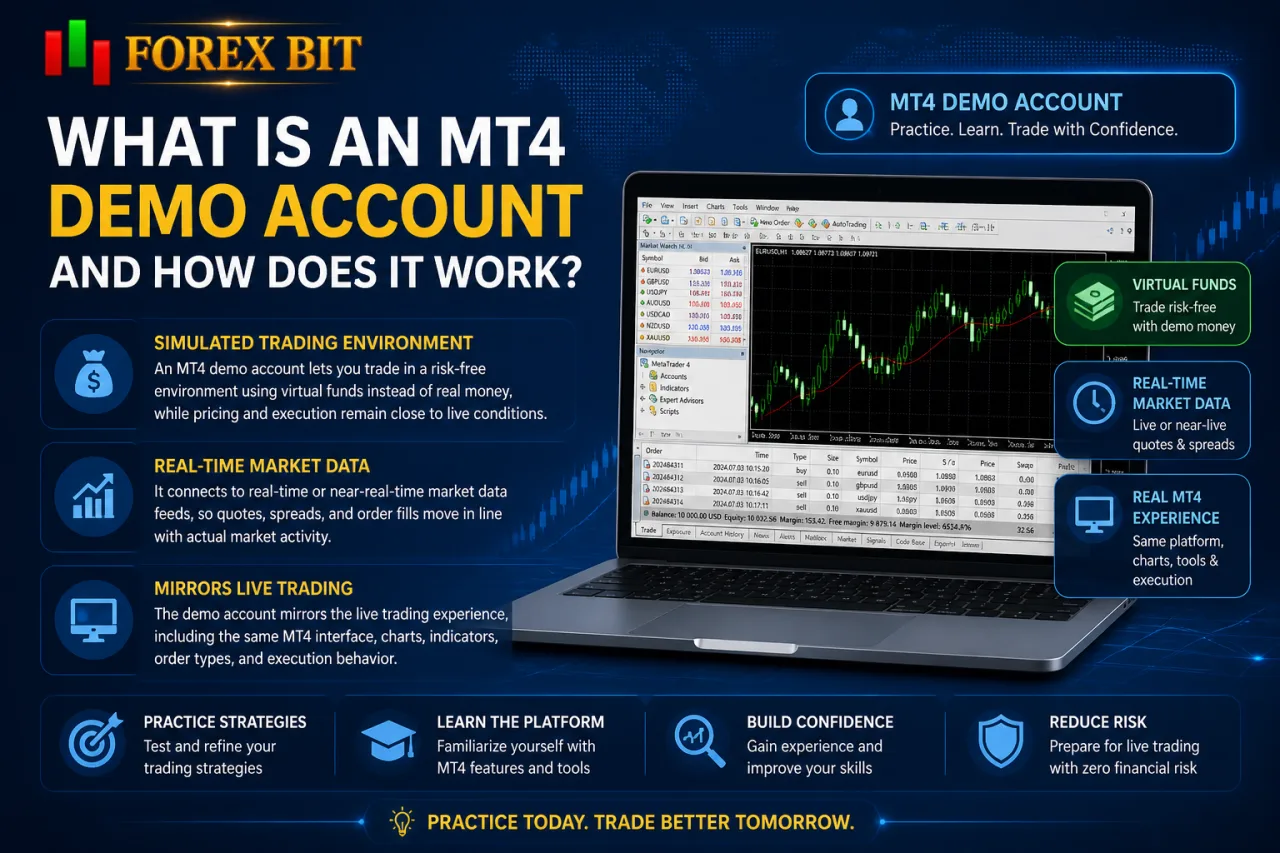
An MT4 demo account is a simulated trading environment on the MetaTrader 4 platform that replaces real capital with virtual funds while keeping pricing and execution behavior close to live conditions. It connects to real-time or near-real-time market data feeds, allowing quotes, spreads, and order fills to move in line with actual market activity rather than static or delayed figures.
This setup addresses how the demo account functions in practice: it mirrors the live trading interface, charting tools, and order types (market, limit, stop) without exposing the trader to financial risk. Because no real money is deposited or withdrawn, profits and losses generated within the demo remain virtual and carry no monetary consequence.
The primary purpose centers on preparation rather than earnings. Beginners use the environment to:
- test entry and exit strategies under realistic price movement
- practice order placement, modification, and closure
- become familiar with MT4’s charting indicators and layout
- evaluate a broker’s execution style before funding a live account
Since the underlying technology is identical to the live version, skills and workflows built in demo mode transfer directly once a trader switches to real trading.
How Do You Open a Free MT4 Demo Account?
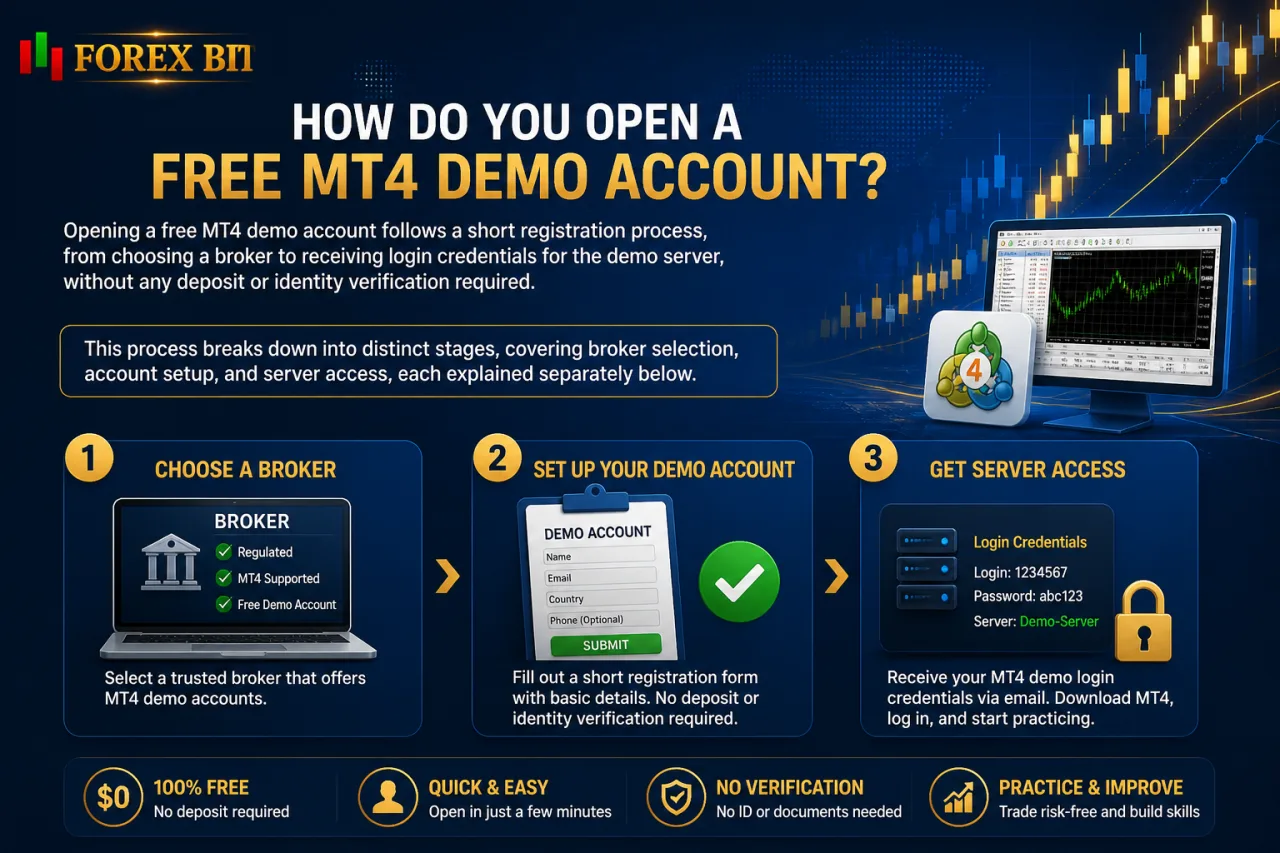
Opening a free MT4 demo account follows a short registration process, from choosing a broker to receiving login credentials for the demo server, without any deposit or identity verification required. This process breaks down into distinct stages, covering broker selection, account setup, and server access, each explained separately below.
Is a Real Deposit or Verification Required to Open an MT4 Demo Account?
Opening an MT4 demo account requires no real deposit and no identity verification in most cases, since the account uses virtual funds only. This addresses the eligibility and cost concern directly tied to demo account access.
The registration process typically asks only for basic contact information, such as a name and email address, to generate login credentials. No proof of identity, address verification, or funding source documentation applies at this stage, unlike live account onboarding.
- Brokers request an email address for account confirmation.
- Brokers avoid requesting bank details or card information.
- Brokers skip KYC checks since no withdrawal or deposit occurs.
This structure keeps the barrier to entry low, allowing traders to test the platform immediately after registration without financial commitment or paperwork.
What Information Do You Need to Register an MT4 Demo Account?
Registering an MT4 demo account requires six typical fields: name, email address, phone number, account currency, initial virtual balance, and leverage selection. This addresses the exact data brokers collect during MT4 demo signup.
The registration form separates contact details from trading parameters. Contact details include:
- name entered for account identification
- email submitted for confirming login credentials
- phone number requested optionally, depending on the broker
Trading parameters shape how the demo simulates live conditions. These fields include:
- currency chosen to match the trader’s preferred base currency (USD, EUR, or others)
- virtual balance selected from preset amounts or entered manually
- leverage picked from a dropdown list of available ratios
Leverage options offered on MT4 demo accounts vary by broker and do not always match live account maximums.
No payment information appears anywhere in this form, keeping the process focused solely on account configuration rather than identity or funding verification.
What Features Does an MT4 Demo Account Include?
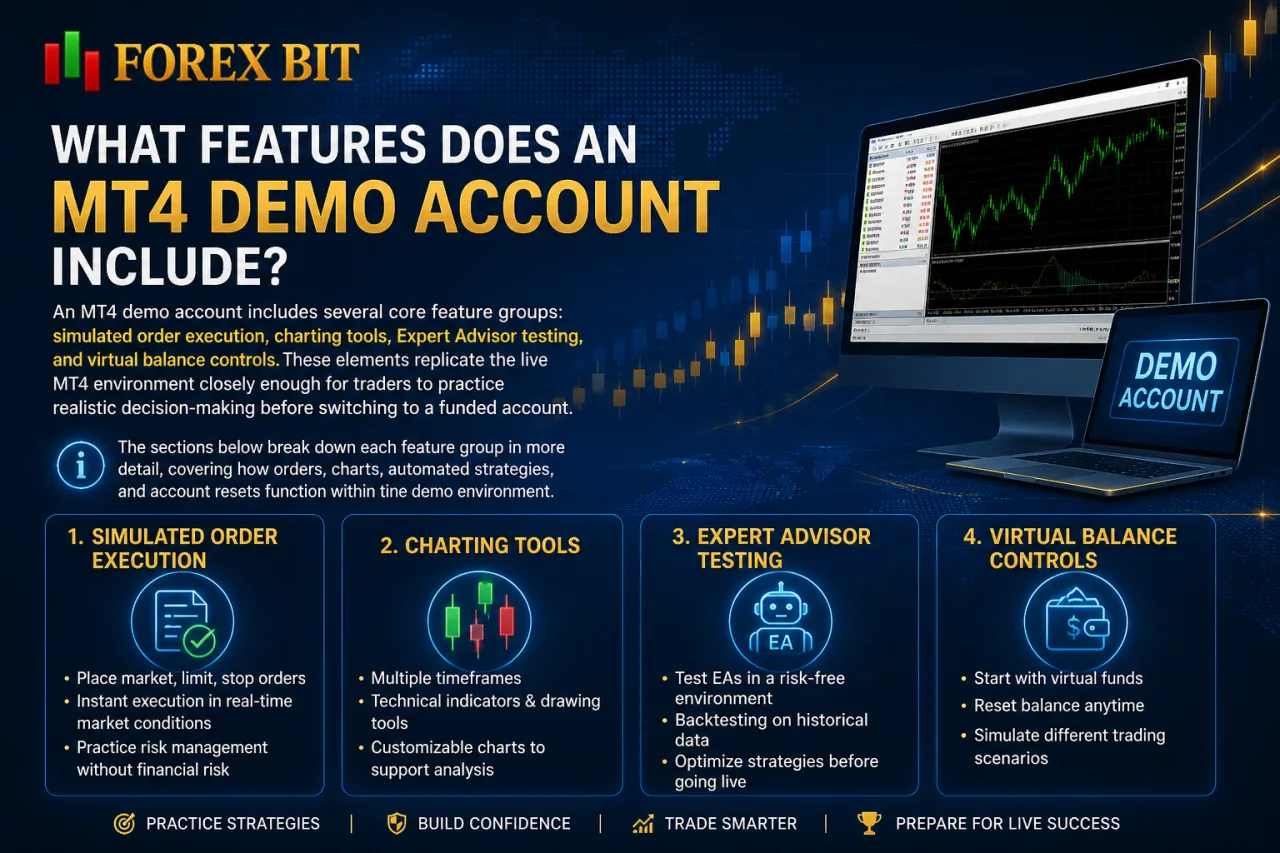
An MT4 demo account includes several core feature groups: simulated order execution, charting tools, Expert Advisor testing, and virtual balance controls. These elements replicate the live MT4 environment closely enough for traders to practice realistic decision-making before switching to a funded account.
The sections below break down each feature group in more detail, covering how orders, charts, automated strategies, and account resets function within the demo environment.
Can You Test Trading Strategies and Expert Advisors on an MT4 Demo Account?
Yes, an MT4 demo account supports testing manual trading strategies and Expert Advisors, since it runs the same order execution engine and automation framework as a live account. Manual strategies benefit from realistic price feeds, while EAs run through the MetaEditor and Strategy Tester modules without restriction.
This capability answers the core question of whether the demo environment handles both discretionary and automated testing side by side.
- Manual traders place, modify, and close orders using virtual funds to validate entry and exit rules.
- Automated traders attach Expert Advisors to charts for forward-testing under live market conditions.
- Developers backtest EA logic against historical price data before deploying it on a funded account.
Since the demo connects to the same trading infrastructure as a live account, EA performance results reflect execution behavior a trader can expect after switching to real capital, aside from differences in liquidity and fill quality that only appear under live trading conditions.
What Order Types Are Available on an MT4 Demo Account?
An MT4 demo account supports four main order types: market execution, buy/sell limit, buy/sell stop, and stop-loss/take-profit settings, matching the order handling found on a live account. This structure addresses which execution methods a trader accesses while practicing on the demo server.
Market execution fills orders at the current available price, while pending orders trigger only once the market reaches a specified level.
- Market orders execute buy or sell positions instantly at the prevailing quoted price.
- Buy limit and sell limit orders open positions once price reaches a more favorable level than the current market rate.
- Buy stop and sell stop orders trigger entry once price breaks through a specified level in the direction of the trade.
- Stop-loss and take-profit settings close positions automatically at predefined price points to manage risk and lock in gains.
Since the demo account runs on the same MT4 execution engine as a funded account, order behavior, fill logic, and modification options remain consistent between the two environments, giving traders an accurate preview of how each order type performs before trading with real capital.
MT4 Demo vs MT5 Demo vs Live Account: What Are the Differences?
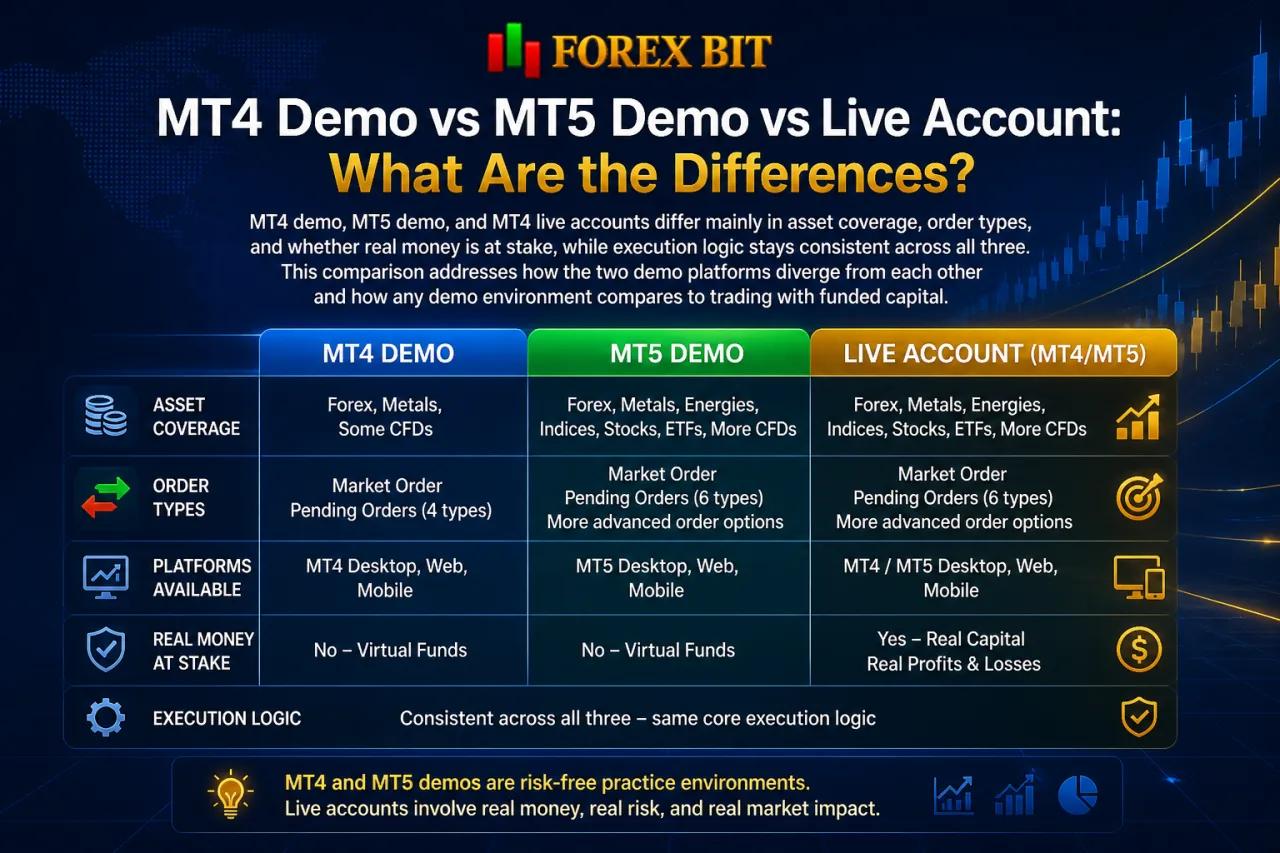
MT4 demo, MT5 demo, and MT4 live accounts differ mainly in asset coverage, order types, and whether real money is at stake, while execution logic stays consistent across all three. This comparison addresses how the two demo platforms diverge from each other and how any demo environment compares to trading with funded capital. The subsections below break this down into platform-level differences and demo-versus-live distinctions.
Do All Brokers Offer the Same MT4 Demo Account Features?
No, MT4 demo account features are not standardized across brokers, since each provider configures leverage, initial balance, expiration rules, and server infrastructure independently. This variability directly affects how closely a demo mirrors live conditions and how long a trader keeps access to it.
The differences fall into a few recurring categories rather than a single fixed template:
- Leverage ratios differ, with some brokers capping demo leverage lower than live account maximums.
- Initial virtual balances vary, ranging from small preset amounts to larger custom figures chosen at signup.
- Expiration policies diverge, with some accounts remaining active indefinitely while others deactivate after a set period.
- Server infrastructure differs, since demo accounts connect to broker-specific servers that reflect that broker’s own pricing and liquidity setup rather than a shared industry standard.
Because these parameters are set at the broker level, traders comparing MT4 demo accounts across providers encounter distinct conditions even though the underlying MT4 platform and order execution engine remain the same.
How Do You Download and Set Up MT4 Demo on Desktop, Web, and Mobile?
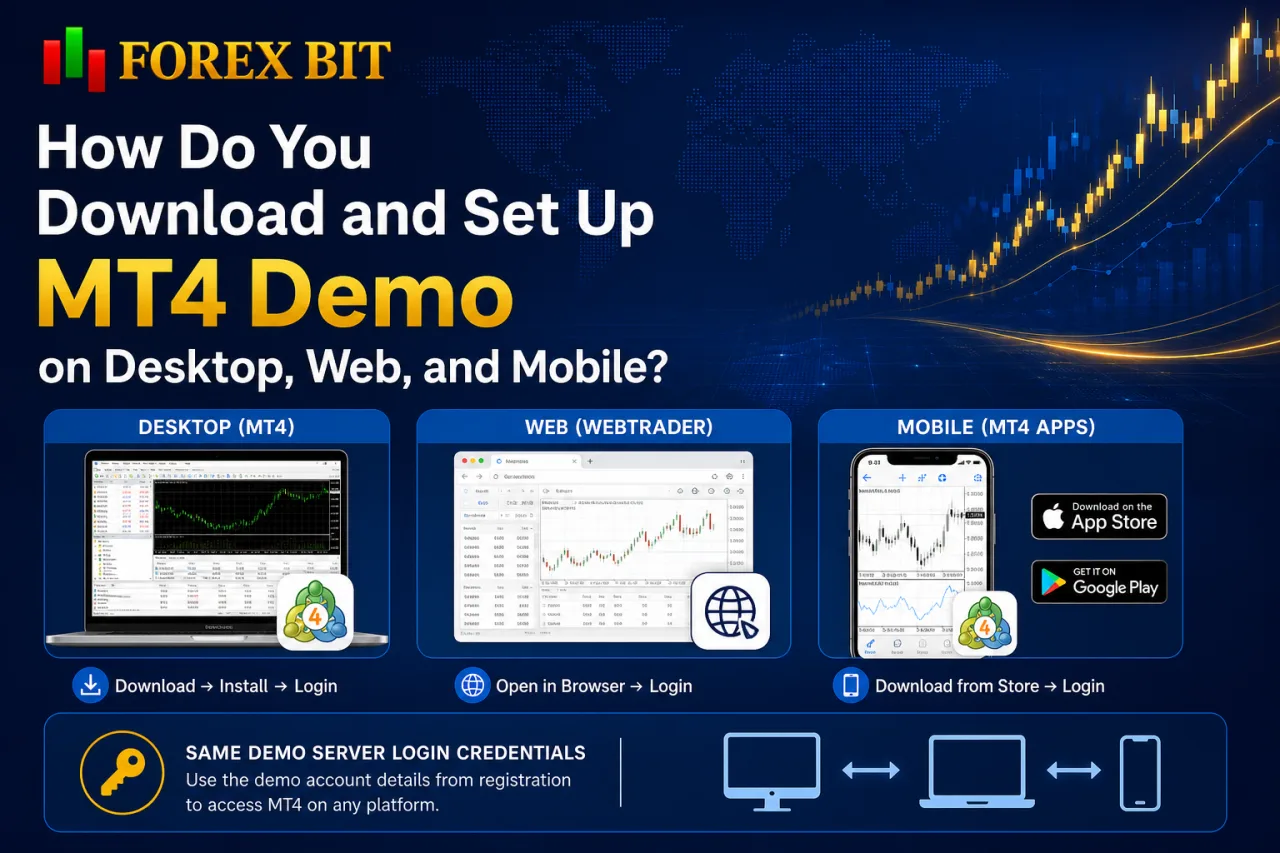
Setting up an MT4 demo covers three access methods: desktop installation, browser-based WebTrader, and mobile apps, each requiring the same demo server login credentials generated at registration. This directly addresses how traders access the demo across devices without needing separate accounts for each platform. Desktop setup involves downloading and installing the software, WebTrader skips installation entirely, and mobile apps require a store download plus login. The subsections below cover each method along with the shared login process using demo server credentials.
Can You Use the Same MT4 Demo Account Across Desktop, Web, and Mobile?
Yes, a single MT4 demo login works across desktop, WebTrader, and mobile, since the demo server holds account data centrally rather than storing it locally on any one device. This directly confirms whether one demo profile carries over between platforms rather than requiring separate registrations.
Cross-platform synchronization relies entirely on the login credentials generated at signup, not the device used to access them. The same login number, password, and server name unlock the account regardless of platform:
- Desktop terminal accepts the credentials through the standard login window at first launch.
- WebTrader accepts the same three fields directly in a browser, skipping any installation step.
- Mobile app accepts identical credentials after a store download, matching desktop and web access exactly.
Trade history, open positions, and account balance stay synced across all three access points, since every version connects to the same demo server rather than maintaining a separate local copy of the account. A trade opened on desktop appears immediately on mobile once the app refreshes its connection to that server.
What Are Some Lesser-Known Aspects of Using an MT4 Demo Account?
Lesser-known aspects of using an MT4 demo account fall into three groups: expiration policies, virtual balance and leverage customization, and execution limitations compared to live trading. These details rarely appear on broker signup pages but affect how long an account stays usable and how closely it mirrors real trading conditions. The subsections below cover each area separately.
Does an MT4 Demo Account Expire After a Period of Inactivity?
Yes, an MT4 demo account expires after a period of inactivity, since many brokers deactivate dormant demo servers to free up resources and close the demo server connection until the trader takes further action, whether through reactivation or new registration. This directly answers the expiration concern tied to inactivity on a demo account.
The expiration outcome differs by broker rather than following one fixed rule:
- Some brokers permanently delete the account and its trade history after deactivation.
- Some brokers allow reactivation through a support request or a login attempt within a grace period.
- Some brokers require the trader to register an entirely new demo account instead of restoring the old one.
This inconsistency means traders confirm the exact inactivity policy directly with the broker hosting the demo server before relying on long-term access.
How Do You Transition From an MT4 Demo Account to a Live Trading Account?
Transitioning from an MT4 demo account to a live trading account follows three steps: completing broker verification, funding the live account, and carrying over demo settings. This process addresses the shift from virtual practice to trading with real capital under the same MT4 platform.
Broker verification (KYC) requires submitting identity and address documents, unlike the demo signup process covered earlier that skipped verification entirely. Funding follows next. A live account only activates trades once a deposit clears through an accepted payment method. Settings transfer last, carrying over the familiarity built during demo practice:
- Custom indicators saved on the demo terminal export and import into the live terminal.
- Chart templates configured during demo testing apply directly to live charts.
- Expert Advisors tested on demo attach to live charts using the same MetaEditor files.
This sequence keeps the trading workflow consistent, since the live account runs on the identical MT4 interface and order execution engine used throughout demo practice.
Conclusion
A free MT4 demo account gives beginners a complete practice environment for opening a trading account without deposits, verification, or financial risk, from registration through order placement and Expert Advisor testing. The signup process asks only for basic contact and trading parameter details, credentials generated instantly grant access across desktop, WebTrader, and mobile, and the same execution engine used on live accounts governs pricing, order types, and automation.
Balance resets, leverage limits, and expiration rules vary by broker, so confirming these terms directly with the chosen provider ensures uninterrupted practice before funding a live MT4 account and transferring saved indicators, templates, and strategies over.
Isabella Brown is the Forex Trading Guide Manager at Forex Bit, focusing on educational content about broker safety, trading costs, account types, platforms, and key Forex/CFD concepts. Her work helps readers understand trading terms, broker conditions, and practical checks before evaluating or using a brokerage service.
Email: [email protected]



Best Brokers

Trade with the world’s largest retail broker and benefit from better - than - market conditions.

We offer a superior trading environment that puts traders in the best position to profit.

Trade with the best trading conditions. WIN THE BEST TRADING ACCOUNT AWARD.

Trade global markets with Interactive Brokers – a highly regulated multi-asset broker built for active and professional investors.






Forex Bit provides independent forex broker reviews, comparisons, guides, and industry news to help traders make informed decisions.
Best Brokers
Metatrader 5 Brokers
Metatrader 4 Brokers
Lowest Spread Forex Broker
Regulated Forex Brokers
Forex Copy Trading
Ctrader Brokers
Best Forex Broker For Beginners